
wmux
Native Windows terminal multiplexer for running coding agents side by side, with split panes, workspace management, built-in browser automation, and an MCP bridge for tools like Claude Code, Codex CLI, and Gemini CLI.
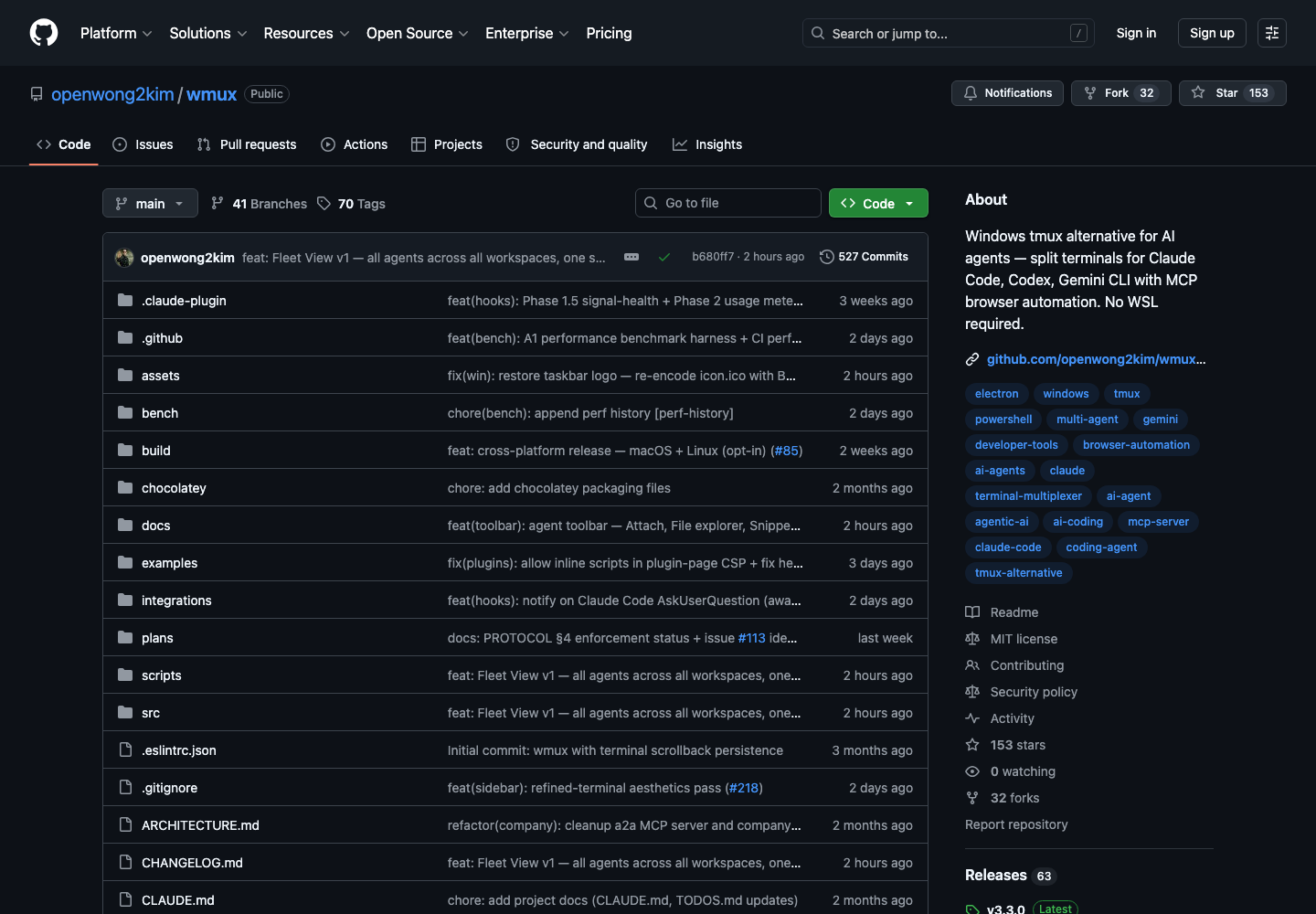
AI Project Details
wmux review: Native Windows terminal multiplexer for running coding agents side by side, with split panes, workspace management, built-in browser automation, and an MCP bridge for tools like Claude Code, Codex CLI, and Gemini CLI.
wmux is built for windows developers who want a tmux-like environment for multi-agent workflows without relying on wsl or a separate linux setup. Instead of asking users to replace their whole toolchain, the product wraps a familiar workflow around install the desktop app through winget, chocolatey, or the installer, open several panes or workspaces, run different coding agents in parallel, and let the built-in mcp and browser tools coordinate browser actions and terminal reads from one window. That makes it easier to judge on practical fit rather than hype.
What the product changes day to day
The real question is whether the workspace removes enough friction to matter. wmux focuses on the Windows gap directly: native multi-agent terminal management, MCP, and browser control without requiring WSL. The README is unusually detailed about scrollback persistence, agent detection, smart right-click behavior, daemon mode, and workspace orchestration. The product stands out because it treats terminal multiplexing and agent tooling as one integrated desktop surface rather than bolting an AI panel onto a normal terminal emulator.
What the workflow feels like
For a serious evaluation, start with one active project instead of a synthetic demo. In practice that means users should install the desktop app through winget, chocolatey, or the installer, open several panes or workspaces, run different coding agents in parallel, and let the built-in mcp and browser tools coordinate browser actions and terminal reads from one window. If the product keeps context visible and cuts down tool hopping, the value shows up quickly.
Where it earns attention
| Evaluation angle | Fit | Why it matters | | --- | --- | --- | | Best-fit user | High | Windows developers who want a tmux-like environment for multi-agent workflows without relying on WSL or a separate Linux setup. | | Core workflow clarity | High | Install the desktop app through winget, Chocolatey, or the installer, open several panes or workspaces, run different coding agents in parallel, and let the built-in MCP and browser tools coordinate browser actions and terminal reads from one window. | | Switching cost reducer | Medium to high | wmux focuses on the Windows gap directly: native multi-agent terminal management, MCP, and browser control without requiring WSL. | | Adoption risk | Medium | The current value is tightly tied to Windows workflows, so mixed-platform teams may still prefer a more universal terminal setup. |
Practical use cases
- Running Claude Code, Codex CLI, and Gemini CLI side by side on Windows
- Managing multi-pane terminal and browser workflows for coding agents
- Giving Windows agent workflows an MCP-aware terminal multiplexer without WSL
Limits and buying notes
The current value is tightly tied to Windows workflows, so mixed-platform teams may still prefer a more universal terminal setup. Prospective users should weigh the unsigned installer and early-stage operational details if they need hardened enterprise desktop distribution right away. Pricing status today: wmux is published as an MIT-licensed open-source Windows application, and the reviewed public materials did not show a paid hosted plan.
FAQ
What is wmux best for?
wmux is strongest when running claude code, codex cli, and gemini cli side by side on windows matters more than a generic AI demo. The official product materials position it around a concrete workflow rather than a blank chatbot shell.
Who should try wmux first?
Windows developers who want a tmux-like environment for multi-agent workflows without relying on WSL or a separate Linux setup. Teams with a real workflow match will get value faster than general curiosity users.
What should buyers verify before adopting wmux?
The current value is tightly tied to Windows workflows, so mixed-platform teams may still prefer a more universal terminal setup. Prospective users should weigh the unsigned installer and early-stage operational details if they need hardened enterprise desktop distribution right away. Pricing, privacy, and workflow fit should be checked directly on the current product before rollout.
Reviewed sources
- https://github.com/openwong2kim/wmux
- https://raw.githubusercontent.com/openwong2kim/wmux/main/README.md
- https://news.ycombinator.com/item?id=48517302
FAQ
What is wmux best for?
wmux is strongest when running claude code, codex cli, and gemini cli side by side on windows matters more than a generic AI demo. The official product materials position it around a concrete workflow rather than a blank chatbot shell.
Who should try wmux first?
Windows developers who want a tmux-like environment for multi-agent workflows without relying on WSL or a separate Linux setup. Teams with a real workflow match will get value faster than general curiosity users.
What should buyers verify before adopting wmux?
The current value is tightly tied to Windows workflows, so mixed-platform teams may still prefer a more universal terminal setup. Prospective users should weigh the unsigned installer and early-stage operational details if they need hardened enterprise desktop distribution right away. Pricing, privacy, and workflow fit should be checked directly on the current product before rollout.