Wandesk
Local AI desktop workspace that combines chat, built-in apps, memory, and a text-to-app workshop for generating new local tools.
AI Project Details
Wandesk review: Local AI desktop workspace that combines chat, built-in apps, memory, and a text-to-app workshop for generating new local tools.
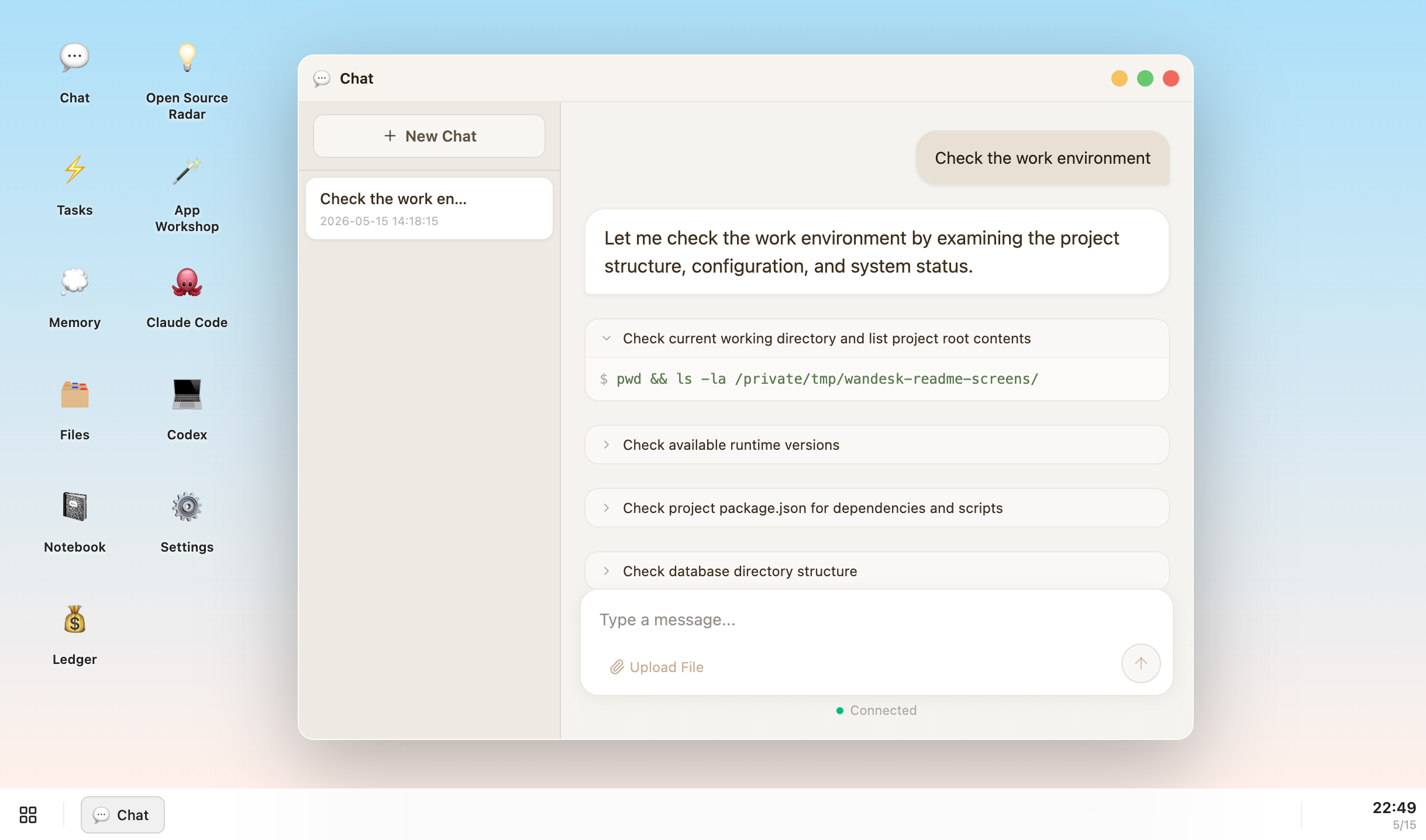
Wandesk is aimed at power users and builders who want ai work to live in a desktop workspace with persistent app state instead of disappearing into chat threads. The current product materials describe a workflow built around open the desktop app, use built-in tools like notebook or ledger, describe a new app idea in the workshop, and keep everything on-device with shared context. That matters because many new AI launches still sound broad until you try to map them to an actual job.
The reason this tool stands out is practical fit. Wandesk treats the desktop as the product surface, not just a wrapper around one chat box. The App Workshop can generate local UI, backend, and database pieces in one pass, which is more ambitious than a simple prompt sidebar. The product is unusually explicit about local data, shared context, and no-signup usage, which makes its privacy posture easy to evaluate.
How the workflow works
The fastest way to judge Wandesk is to walk the main loop on one real task. For this product, users should open the desktop app, use built-in tools like notebook or ledger, describe a new app idea in the workshop, and keep everything on-device with shared context. If that loop feels clearer, more controllable, or easier to repeat than the alternatives, the product is doing useful work.
Where Wandesk stands out
| Evaluation angle | Fit | Why it matters | | --- | --- | --- | | Best-fit user | High | Power users and builders who want AI work to live in a desktop workspace with persistent app state instead of disappearing into chat threads. | | Core workflow clarity | High | Open the desktop app, use built-in tools like notebook or ledger, describe a new app idea in the workshop, and keep everything on-device with shared context. | | Switching cost reducer | Medium to high | Wandesk treats the desktop as the product surface, not just a wrapper around one chat box. | | Adoption risk | Medium | Users should verify how reliable the generated local apps are before treating the workspace as a serious operational layer. |
Practical use cases
- Building small local AI apps from plain-language requests
- Keeping notes, memory, and AI-assisted utilities in one desktop workspace
- Running Codex or Claude Code alongside other local AI apps with shared context
Limits and buying notes
Users should verify how reliable the generated local apps are before treating the workspace as a serious operational layer. The strongest value is for people who want a persistent desktop environment, not for teams already happy with browser-based chat tools. Pricing status today: The official site positions Wandesk as free with no signup, plus trial credits or support for bringing your own model keys.
FAQ
What is Wandesk best for?
Wandesk works best when building small local ai apps from plain-language requests matters more than using a generic assistant. The official materials point to a more concrete workflow than a blank AI shell.
Who should try Wandesk first?
Power users and builders who want AI work to live in a desktop workspace with persistent app state instead of disappearing into chat threads. Teams with that exact workflow will learn faster than broad curiosity users.
What should users verify before adopting Wandesk?
Users should verify how reliable the generated local apps are before treating the workspace as a serious operational layer. The strongest value is for people who want a persistent desktop environment, not for teams already happy with browser-based chat tools. Users should also check the current docs, pricing, and release status before rollout.
Reviewed sources
- https://wandesk.ai/
- https://wandesk.ai/download
- https://www.producthunt.com/products/wandesk-ai
FAQ
What is Wandesk best for?
Wandesk works best when building small local ai apps from plain-language requests matters more than using a generic assistant. The official materials point to a more concrete workflow than a blank AI shell.
Who should try Wandesk first?
Power users and builders who want AI work to live in a desktop workspace with persistent app state instead of disappearing into chat threads. Teams with that exact workflow will learn faster than broad curiosity users.
What should users verify before adopting Wandesk?
Users should verify how reliable the generated local apps are before treating the workspace as a serious operational layer. The strongest value is for people who want a persistent desktop environment, not for teams already happy with browser-based chat tools. Users should also check the current docs, pricing, and release status before rollout.