Trace
On-device Mac meeting transcript app that records system audio and mic locally, marks key moments mid-call, and produces clean Markdown transcripts without a cloud bot.
AI Project Details
Trace review: On-device Mac meeting transcript app that records system audio and mic locally, marks key moments mid-call, and produces clean Markdown transcripts without a cloud bot.
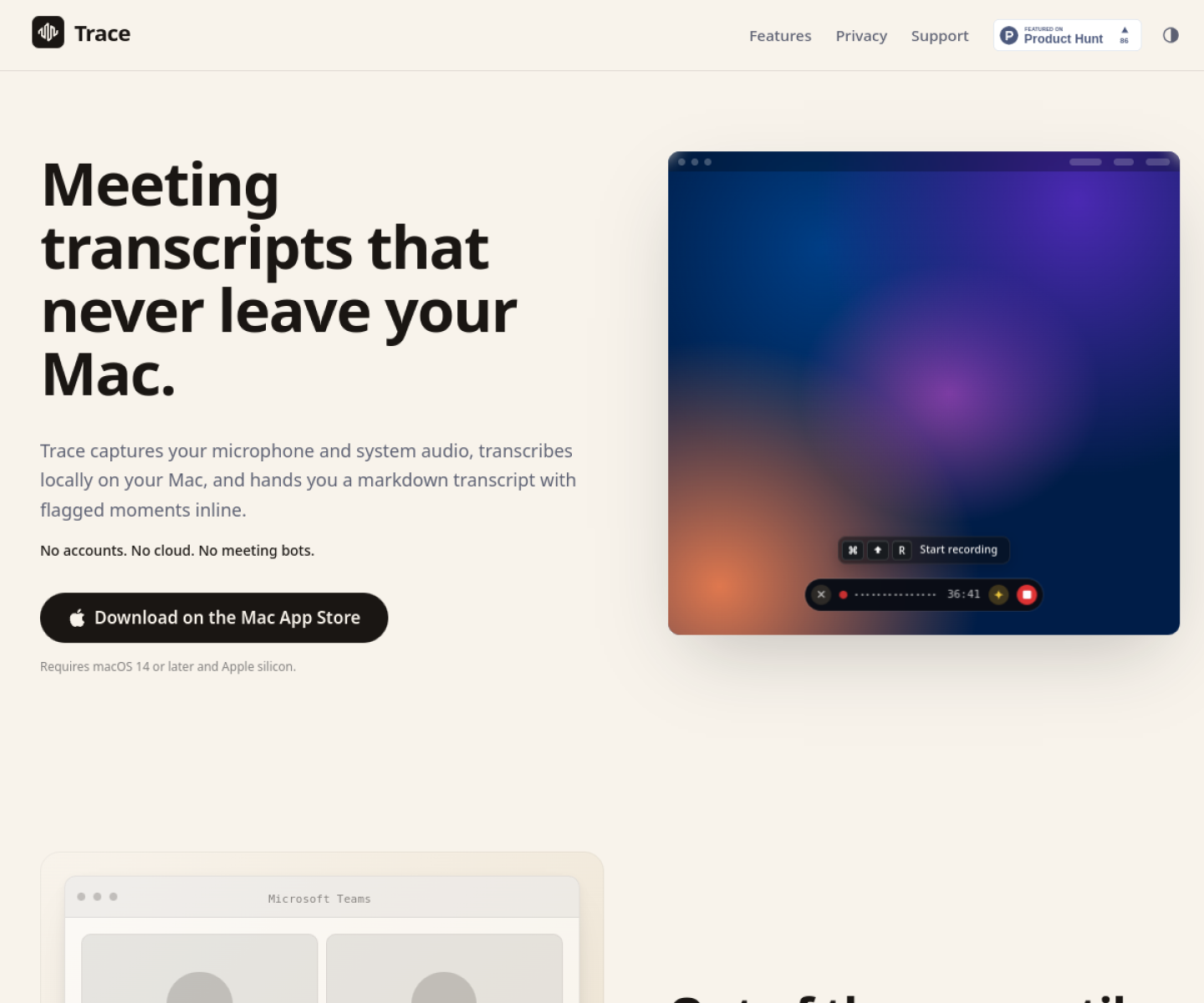
Trace is built for mac users who want meeting notes, live recap, and searchable transcripts without sending audio to a hosted transcription service. Instead of asking users to replace their whole toolchain, the product wraps a familiar workflow around start a recording from the menu bar or shortcut, capture system audio and mic locally, flag important moments during the call, then export the transcript and follow-up notes after the session. That makes it easier to judge on practical fit rather than hype.
What the product changes day to day
The real question is whether the workspace removes enough friction to matter. Trace is unusually clear that privacy and botless capture are the product, not just a feature flag. The launch details are concrete about local speech models, Apple Silicon execution, key-moment markers, and inline rough recap during recording. Its output is practical because sessions stay as plain files on disk instead of getting trapped in another SaaS note silo.
What the workflow feels like
For a serious evaluation, start with one active project instead of a synthetic demo. In practice that means users should start a recording from the menu bar or shortcut, capture system audio and mic locally, flag important moments during the call, then export the transcript and follow-up notes after the session. If the product keeps context visible and cuts down tool hopping, the value shows up quickly.
Where it earns attention
| Evaluation angle | Fit | Why it matters | | --- | --- | --- | | Best-fit user | High | Mac users who want meeting notes, live recap, and searchable transcripts without sending audio to a hosted transcription service. | | Core workflow clarity | High | Start a recording from the menu bar or shortcut, capture system audio and mic locally, flag important moments during the call, then export the transcript and follow-up notes after the session. | | Switching cost reducer | Medium to high | Trace is unusually clear that privacy and botless capture are the product, not just a feature flag. | | Adoption risk | Medium | The current fit is narrow: Apple Silicon users who are comfortable with local processing will get more value than broad cross-platform teams. |
Practical use cases
- Recording private meeting transcripts that never leave the Mac
- Flagging important moments during a call for cleaner follow-up review
- Generating markdown transcripts without inviting a visible meeting bot
Limits and buying notes
The current fit is narrow: Apple Silicon users who are comfortable with local processing will get more value than broad cross-platform teams. Trace does not try to do the whole post-meeting workflow for you, so users still need their own summarization and action-tracking process. Pricing status today: The reviewed launch post says Trace costs GBP 9.99 on the App Store, while the official site positions it as a Mac app with no cloud account or meeting bot.
FAQ
What is Trace best for?
Trace is strongest when recording private meeting transcripts that never leave the mac matters more than a generic AI demo. The official product materials position it around a concrete workflow rather than a blank chatbot shell.
Who should try Trace first?
Mac users who want meeting notes, live recap, and searchable transcripts without sending audio to a hosted transcription service. Teams with a real workflow match will get value faster than general curiosity users.
What should buyers verify before adopting Trace?
The current fit is narrow: Apple Silicon users who are comfortable with local processing will get more value than broad cross-platform teams. Trace does not try to do the whole post-meeting workflow for you, so users still need their own summarization and action-tracking process. Pricing, privacy, and workflow fit should be checked directly on the current product before rollout.
Reviewed sources
- https://traceapp.info/
- https://news.ycombinator.com/item?id=48521236
FAQ
What is Trace best for?
Trace is strongest when recording private meeting transcripts that never leave the mac matters more than a generic AI demo. The official product materials position it around a concrete workflow rather than a blank chatbot shell.
Who should try Trace first?
Mac users who want meeting notes, live recap, and searchable transcripts without sending audio to a hosted transcription service. Teams with a real workflow match will get value faster than general curiosity users.
What should buyers verify before adopting Trace?
The current fit is narrow: Apple Silicon users who are comfortable with local processing will get more value than broad cross-platform teams. Trace does not try to do the whole post-meeting workflow for you, so users still need their own summarization and action-tracking process. Pricing, privacy, and workflow fit should be checked directly on the current product before rollout.