Repaint
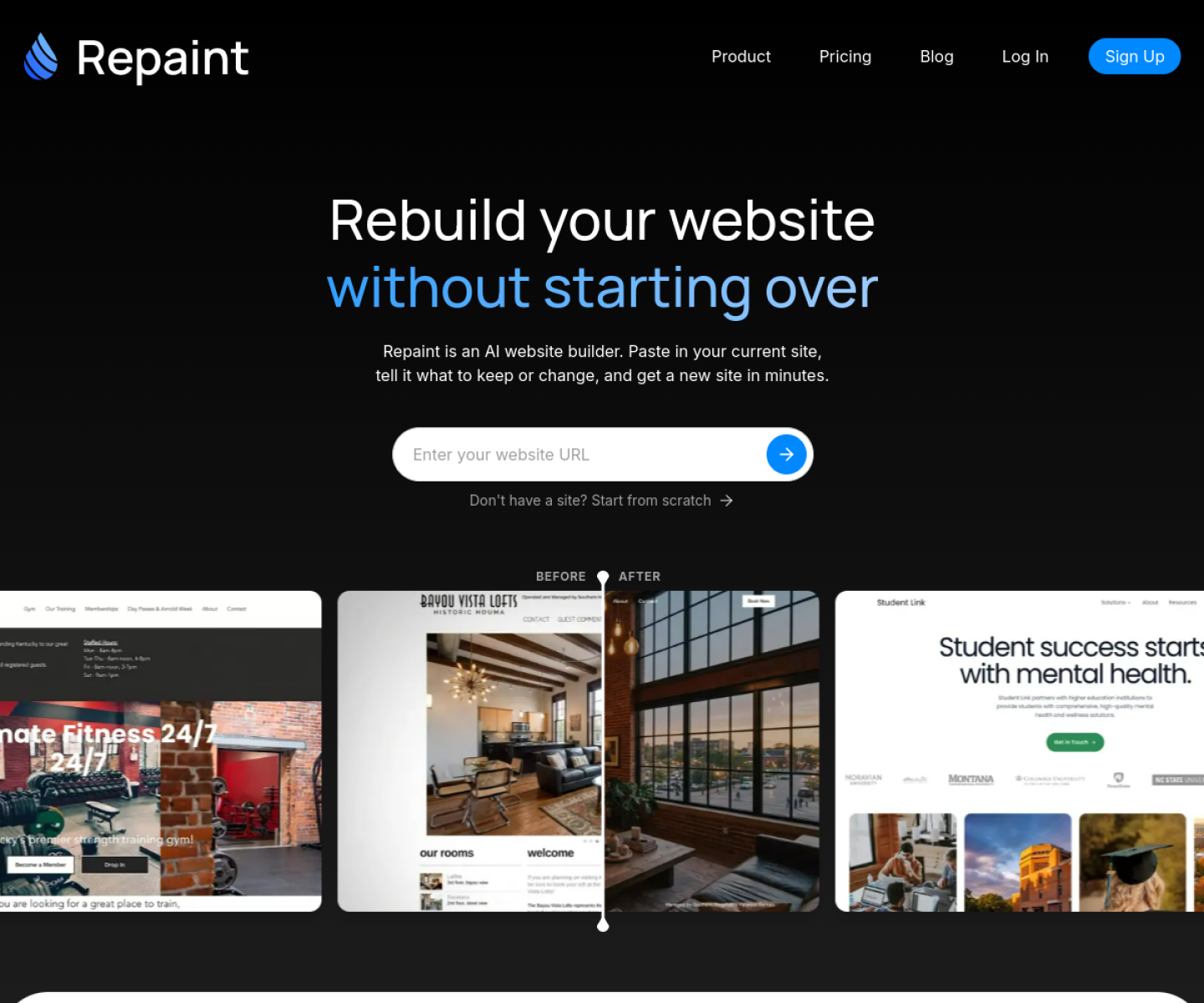
AI website redesign tool that imports an existing site, rebuilds it, and keeps editing open through chat rather than a manual page-by-page redesign.
AI Project Details
Repaint review: AI website redesign tool that imports an existing site, rebuilds it, and keeps editing open through chat rather than a manual page-by-page redesign.
Repaint is aimed at founders, marketers, and small teams that want to refresh an existing website quickly without restarting the build from zero. The current product materials describe a workflow built around paste in the current site, describe what to keep or change, let repaint generate a rebuilt version, then continue refining layout and copy through chat. That matters because many new AI launches still sound broad until you try to map them to an actual job.
The reason this tool stands out is practical fit. Repaint is centered on redesigning an existing site, which is a sharper job than the usual blank-canvas website builder pitch. The product makes SEO migration part of the value proposition instead of treating traffic preservation as an afterthought. Its import-first workflow reduces the amount of manual rebuilding required from teams that already have a live site.
How the workflow works
The fastest way to judge Repaint is to walk the main loop on one real task. For this product, users should paste in the current site, describe what to keep or change, let repaint generate a rebuilt version, then continue refining layout and copy through chat. If that loop feels clearer, more controllable, or easier to repeat than the alternatives, the product is doing useful work.
Where Repaint stands out
| Evaluation angle | Fit | Why it matters | | --- | --- | --- | | Best-fit user | High | Founders, marketers, and small teams that want to refresh an existing website quickly without restarting the build from zero. | | Core workflow clarity | High | Paste in the current site, describe what to keep or change, let Repaint generate a rebuilt version, then continue refining layout and copy through chat. | | Switching cost reducer | Medium to high | Repaint is centered on redesigning an existing site, which is a sharper job than the usual blank-canvas website builder pitch. | | Adoption risk | Medium | Teams should still inspect accessibility, technical SEO details, and content quality before replacing a production site. |
Practical use cases
- Refreshing an outdated marketing site without rebuilding every page by hand
- Migrating an existing website while preserving URL structure and search intent
- Generating fast design variants for a business website from a live source URL
Limits and buying notes
Teams should still inspect accessibility, technical SEO details, and content quality before replacing a production site. The product is best for redesign and refresh work, not for teams that need a highly custom app or front-end system from the start. Pricing status today: The official site shows a free plan and a Premium plan at $20 per month, with optional pay-as-you-go credits.
FAQ
What is Repaint best for?
Repaint works best when refreshing an outdated marketing site without rebuilding every page by hand matters more than using a generic assistant. The official materials point to a more concrete workflow than a blank AI shell.
Who should try Repaint first?
Founders, marketers, and small teams that want to refresh an existing website quickly without restarting the build from zero. Teams with that exact workflow will learn faster than broad curiosity users.
What should users verify before adopting Repaint?
Teams should still inspect accessibility, technical SEO details, and content quality before replacing a production site. The product is best for redesign and refresh work, not for teams that need a highly custom app or front-end system from the start. Users should also check the current docs, pricing, and release status before rollout.
Reviewed sources
- https://repaint.com/
- https://www.producthunt.com/products/repaint
FAQ
What is Repaint best for?
Repaint works best when refreshing an outdated marketing site without rebuilding every page by hand matters more than using a generic assistant. The official materials point to a more concrete workflow than a blank AI shell.
Who should try Repaint first?
Founders, marketers, and small teams that want to refresh an existing website quickly without restarting the build from zero. Teams with that exact workflow will learn faster than broad curiosity users.
What should users verify before adopting Repaint?
Teams should still inspect accessibility, technical SEO details, and content quality before replacing a production site. The product is best for redesign and refresh work, not for teams that need a highly custom app or front-end system from the start. Users should also check the current docs, pricing, and release status before rollout.