PicPicAI
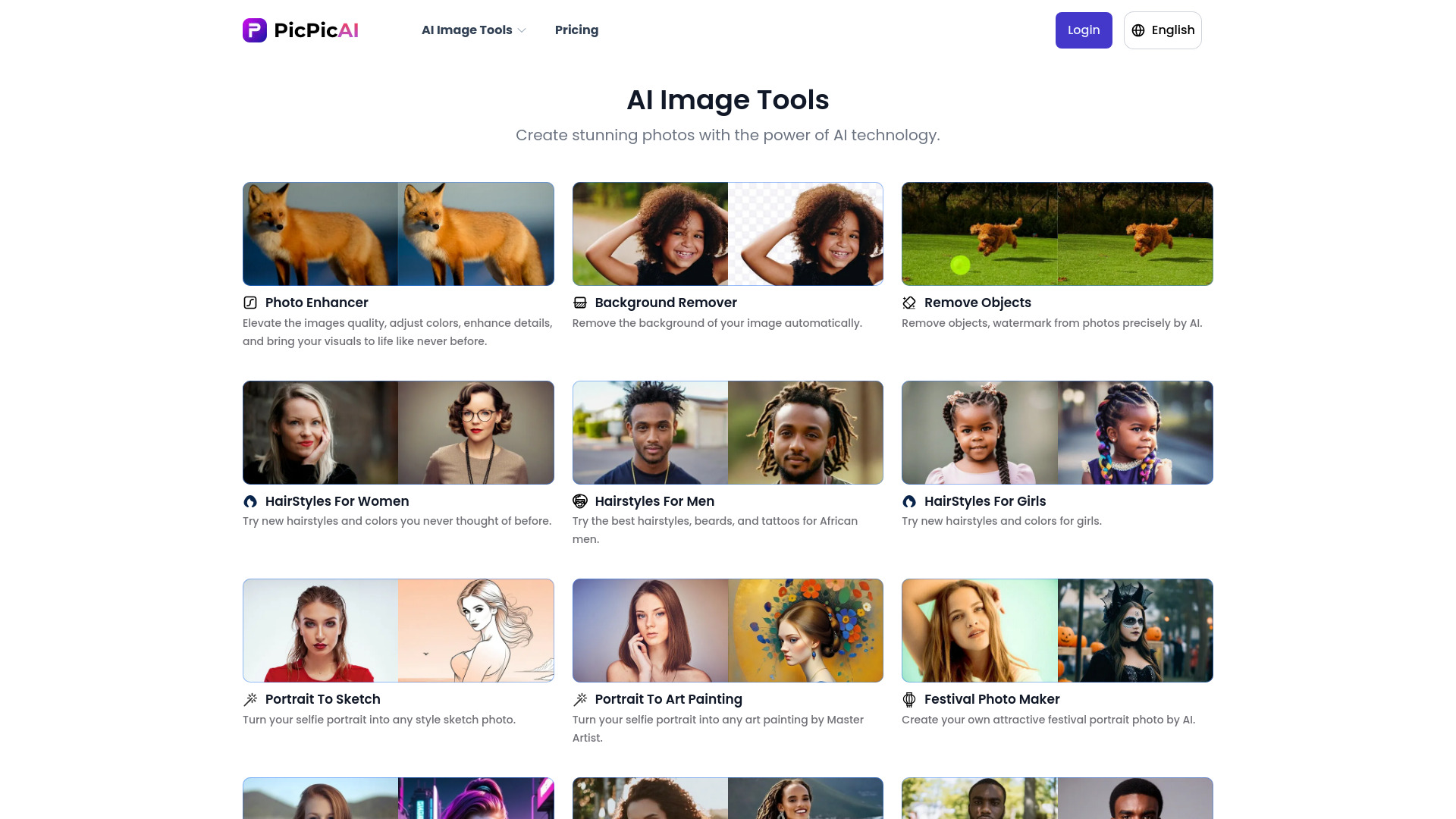
All-in-One AI Image Tools: Enhance, Remove Backgrounds, Create Hairstyles, and More In today's digital age, having the right tools to manage your images is essential. Our all-in-one AI image tools offer a comprehensive solution for enhancing your photos, removing backgrounds, creating stunning hairstyles, and much more. Enhance Your Images Effortlessly With our AI image enhancer, you can improve the quality of your photos in just a few clicks. This tool uses advanced algorithms to sharpen details, adjust colors, and bring your images to life. Remove Backgrounds Instantly Say goodbye to complicated editing processes! Our RemoveBG tool allows you to eliminate backgrounds from your images quickly and easily. Whether you're creating marketing materials or personal projects, this feature saves you time and effort. Create Stunning Hairstyles Looking to experiment with your look? Our hairstyle tool lets you try on various styles virtually. Simply upload your photo, and explore a range of hairstyles to find the perfect fit for you. User-Friendly Interface Our tools are designed with user experience in mind. The intuitive interface ensures that anyone, regardless of technical skill, can navigate and utilize the features effectively. Boost Your Creativity With our all-in-one AI image tools, the possibilities are endless. Whether you're a professional photographer, a social media influencer, or just someone who loves to edit photos, our tools provide the functionality you need to unleash your creativity. Experience the Future of Image Editing Join countless users who have transformed their image editing process with our all-in-one AI tools. Enhance, remove backgrounds, create hairstyles, and more—all in one place. Start your journey today and see the difference for yourself!
AI Project Details
PicPicAI review: all-in-one AI photo editing for fast image cleanup
PicPicAI is an online AI image editing suite for photo enhancement, background removal, portrait editing, old-photo restoration, anime upscaling, relighting, image extension, and style conversion. The official homepage positions it around fast browser-based edits rather than a single background-removal utility.
This page should be indexed as an all-in-one AI photo editor. The useful buyer question is whether PicPicAI can replace several small image tools for routine marketing, ecommerce, profile, and social content workflows.
Best-fit use cases
| Use case | PicPicAI fit | Notes | |---|---:|---| | Background removal | High | One of the core tools on the official site. | | Portrait and photo enhancement | High | Strong fit for quick cleanup and restoration. | | Social and ecommerce images | Medium to high | Useful when teams need fast, repeatable edits. | | Professional retouching | Medium | Manual review and design tools may still be needed. | | Sensitive personal images | Medium | Upload privacy and retention terms should be checked. |
What creators should verify
Users should test output resolution, batch limits, credit pricing, watermark behavior, background edge quality, face enhancement artifacts, hairstyle or style-change realism, export formats, privacy terms, and whether edited images remain brand-safe. For ecommerce, the most important test is edge quality around hair, glass, fabric, and product shadows.
The best pilot is a small folder of real images from the user's workflow.
Strengths
- Broad tool coverage in one web app.
- Strong fit for quick image cleanup and enhancement.
- Supports portrait, background, anime, and restoration workflows.
- Official pricing page gives a path to evaluate credits and limits.
Limitations
- Advanced retouching may still require Photoshop or a designer.
- AI edits can introduce artifacts around faces and edges.
- Uploading personal or client images requires privacy review.
- Credit costs should be tested against real monthly volume.
Bottom line
PicPicAI should be indexed as an all-in-one AI photo editor. It is strongest for fast browser-based image cleanup, background removal, and enhancement workflows where users still inspect outputs before publishing.
Sources reviewed: PicPicAI homepage, PicPicAI pricing, PicPicAI original listing URL.
FAQ
What is PicPicAI best for?
PicPicAI is best for quick AI photo editing tasks such as enhancement, background removal, portrait cleanup, restoration, upscaling, and simple style changes.
Can PicPicAI replace professional image editing software?
Not fully. It can speed up routine edits, but professional retouching, brand-critical images, and complex composites still need manual review or design software.
What should users test first?
Test output resolution, edge quality, face artifacts, batch limits, credits, export formats, watermark behavior, privacy terms, and real image-editing volume.