ModelHub
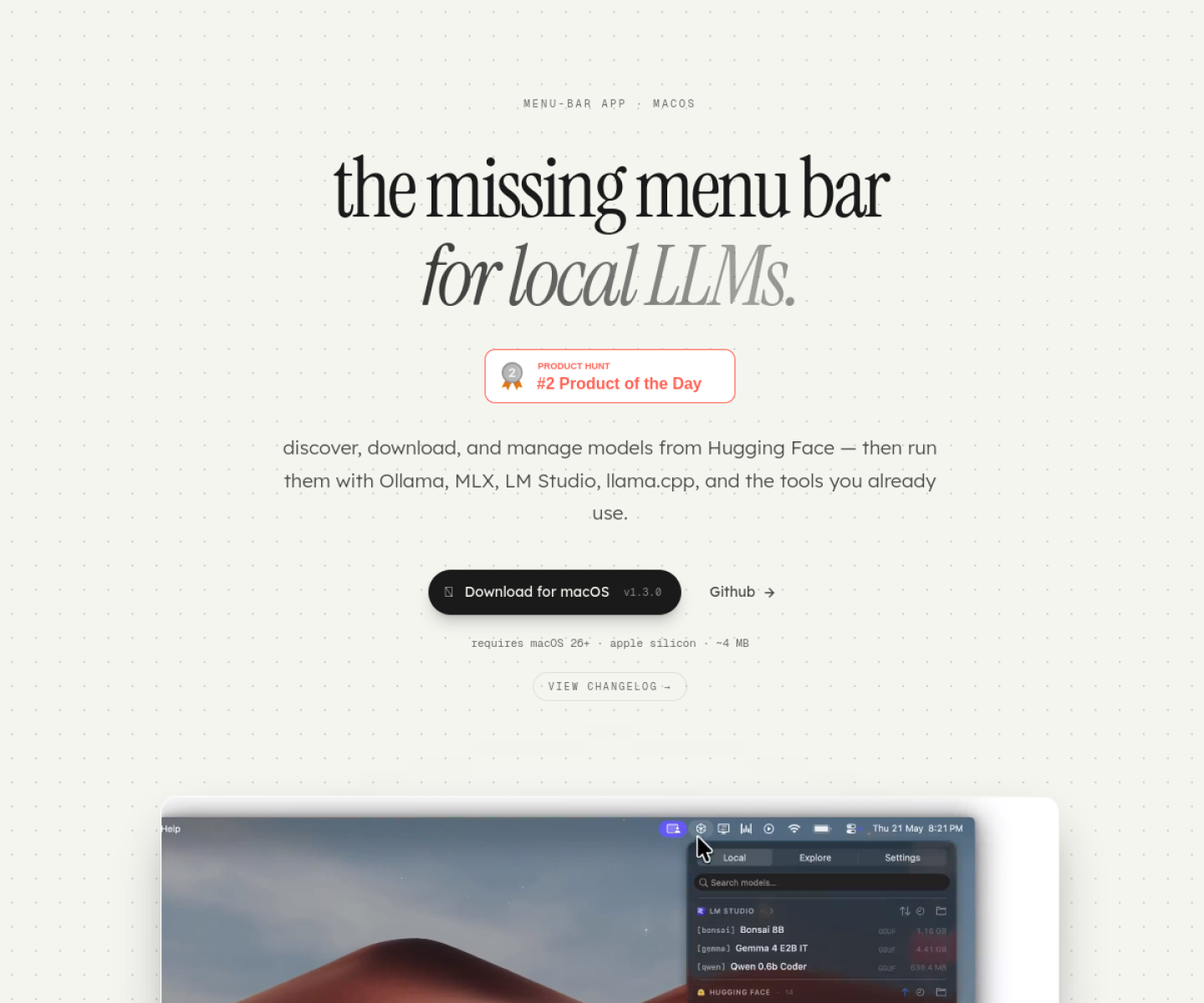
Mac menu bar app for discovering, downloading, and managing local LLMs across Hugging Face, Ollama, LM Studio, MLX, and llama.cpp-style workflows.
AI Project Details
ModelHub review: Mac menu bar app for discovering, downloading, and managing local LLMs across Hugging Face, Ollama, LM Studio, MLX, and llama.cpp-style workflows.
ModelHub is aimed at mac users running local models who want less friction around discovery, storage, and model handoff between runtimes. The current product materials describe a workflow built around open the menu bar app, browse or manage local models, download compatible weights, and use the same files across local runtimes without manual folder juggling. That framing matters because many new AI launches still stop at a broad promise. ModelHub has a clearer job to do.
The stronger reason to care is operational fit. The product is explicit about local-model file management rather than pretending local LLM use is only a chat UX problem. Its official page emphasizes compatibility with several common Apple-Silicon local-model stacks. It is a timely fit for the growing group of users treating the Mac as a personal AI workstation.
How the workflow works
A sensible first pass is simple: start from the product's core entry point, validate the main loop on a representative task, and only then judge whether the surrounding automation is real. For ModelHub, that means users should open the menu bar app, browse or manage local models, download compatible weights, and use the same files across local runtimes without manual folder juggling. If that loop feels shorter, clearer, or easier to control than the alternatives, the product is doing something useful.
Where ModelHub stands out
| Evaluation angle | Fit | Why it matters | | --- | --- | --- | | Best-fit user | High | Mac users running local models who want less friction around discovery, storage, and model handoff between runtimes. | | Core workflow clarity | High | Open the menu bar app, browse or manage local models, download compatible weights, and use the same files across local runtimes without manual folder juggling. | | Switching cost reducer | Medium to high | The product is explicit about local-model file management rather than pretending local LLM use is only a chat UX problem. | | Adoption risk | Medium | The product is narrowly tied to Apple-Silicon local-model workflows. |
Practical use cases
- Managing local models from a Mac menu bar
- Reducing friction between different local LLM runtimes
- Discovering and downloading models without manual folder work
Limits and buying notes
The product is narrowly tied to Apple-Silicon local-model workflows. Users still need to understand model sizes, GPU memory limits, and runtime compatibility on their own machines. Pricing status today: The reviewed official page emphasizes features and download flow; a detailed public pricing table was not visible during review.
FAQ
What is ModelHub best for?
ModelHub is strongest when managing local models from a mac menu bar matters more than a generic AI demo. The official product materials position it around a concrete workflow rather than a blank chatbot shell.
Who should try ModelHub first?
Mac users running local models who want less friction around discovery, storage, and model handoff between runtimes. Teams with a real workflow match will get value faster than general curiosity users.
What should buyers verify before adopting ModelHub?
The product is narrowly tied to Apple-Silicon local-model workflows. Users still need to understand model sizes, GPU memory limits, and runtime compatibility on their own machines. Pricing, privacy, and workflow fit should be checked directly on the current product before rollout.
Reviewed sources
- https://studio.consciousengines.com/model-hub
- https://www.producthunt.com/topics/developer-tools?order=recent_launches
FAQ
What is ModelHub best for?
ModelHub is strongest when managing local models from a mac menu bar matters more than a generic AI demo. The official product materials position it around a concrete workflow rather than a blank chatbot shell.
Who should try ModelHub first?
Mac users running local models who want less friction around discovery, storage, and model handoff between runtimes. Teams with a real workflow match will get value faster than general curiosity users.
What should buyers verify before adopting ModelHub?
The product is narrowly tied to Apple-Silicon local-model workflows. Users still need to understand model sizes, GPU memory limits, and runtime compatibility on their own machines. Pricing, privacy, and workflow fit should be checked directly on the current product before rollout.