Model Studio CLI
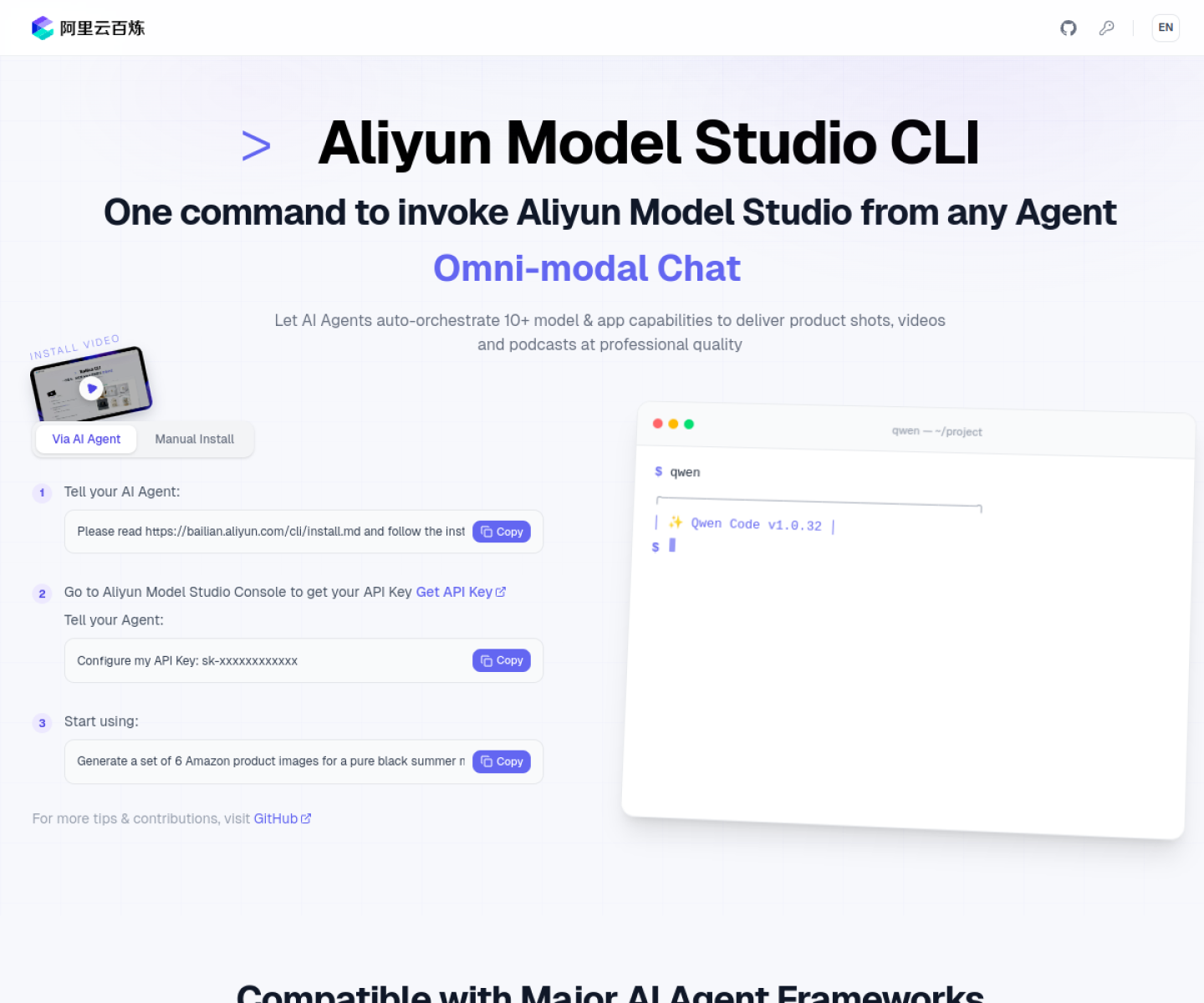
Official Alibaba Model Studio CLI for calling text, multimodal, image, video, speech, search, knowledge-base, memory, agent, and workflow capabilities from one command surface.

AI Project Details
Model Studio CLI review: Official Alibaba Model Studio CLI for calling text, multimodal, image, video, speech, search, knowledge-base, memory, agent, and workflow capabilities from one command surface.
Model Studio CLI is built for developers already working with alibaba cloud model infrastructure who want a structured cli instead of wiring each capability separately. Instead of asking users to replace their whole toolchain, the product wraps a familiar workflow around install the cli, add an api key from the bailian console, then call models, search, knowledge retrieval, long-term memory, or agent workflows from one command interface. That makes it easier to judge on practical fit rather than hype.
What the product changes day to day
The real question is whether the workspace removes enough friction to matter. The official product page is unusually explicit about breadth, listing models, multimedia generation, search, memory, agents, and workflows in one CLI. This is an official provider tool rather than a third-party wrapper around a provider API. Its command-line shape is practical for developers who want provider features exposed as structured tool calls instead of only a browser console.
What the workflow feels like
For a serious evaluation, start with one active project instead of a synthetic demo. In practice that means users should install the cli, add an api key from the bailian console, then call models, search, knowledge retrieval, long-term memory, or agent workflows from one command interface. If the product keeps context visible and cuts down tool hopping, the value shows up quickly.
Where it earns attention
| Evaluation angle | Fit | Why it matters | | --- | --- | --- | | Best-fit user | High | Developers already working with Alibaba Cloud model infrastructure who want a structured CLI instead of wiring each capability separately. | | Core workflow clarity | High | Install the CLI, add an API key from the Bailian console, then call models, search, knowledge retrieval, long-term memory, or agent workflows from one command interface. | | Switching cost reducer | Medium to high | The official product page is unusually explicit about breadth, listing models, multimedia generation, search, memory, agents, and workflows in one CLI. | | Adoption risk | Medium | The strongest fit is for teams already inside the Alibaba Cloud ecosystem rather than users looking for a neutral multi-provider shell. |
Practical use cases
- Calling Qwen and related model capabilities from one CLI
- Accessing search, memory, and workflow features without custom glue code
- Using an official provider command surface for agent tasks
Limits and buying notes
The strongest fit is for teams already inside the Alibaba Cloud ecosystem rather than users looking for a neutral multi-provider shell. Buyers still need to weigh regional fit, language fit, and provider lock-in before standardizing on the CLI for agent work. Pricing status today: The reviewed official CLI page and GitHub repo describe the product as an official command-line tool, but they did not show a standalone CLI pricing page beyond normal Alibaba Cloud model usage.
FAQ
What is Model Studio CLI best for?
Model Studio CLI is strongest when calling qwen and related model capabilities from one cli matters more than a generic AI demo. The official product materials position it around a concrete workflow rather than a blank chatbot shell.
Who should try Model Studio CLI first?
Developers already working with Alibaba Cloud model infrastructure who want a structured CLI instead of wiring each capability separately. Teams with a real workflow match will get value faster than general curiosity users.
What should buyers verify before adopting Model Studio CLI?
The strongest fit is for teams already inside the Alibaba Cloud ecosystem rather than users looking for a neutral multi-provider shell. Buyers still need to weigh regional fit, language fit, and provider lock-in before standardizing on the CLI for agent work. Pricing, privacy, and workflow fit should be checked directly on the current product before rollout.
Reviewed sources
- https://bailian.console.aliyun.com/cli
- https://github.com/modelstudioai/cli
FAQ
What is Model Studio CLI best for?
Model Studio CLI is strongest when calling qwen and related model capabilities from one cli matters more than a generic AI demo. The official product materials position it around a concrete workflow rather than a blank chatbot shell.
Who should try Model Studio CLI first?
Developers already working with Alibaba Cloud model infrastructure who want a structured CLI instead of wiring each capability separately. Teams with a real workflow match will get value faster than general curiosity users.
What should buyers verify before adopting Model Studio CLI?
The strongest fit is for teams already inside the Alibaba Cloud ecosystem rather than users looking for a neutral multi-provider shell. Buyers still need to weigh regional fit, language fit, and provider lock-in before standardizing on the CLI for agent work. Pricing, privacy, and workflow fit should be checked directly on the current product before rollout.