MCPJam Inspector
Testing and debugging platform for MCP servers and OpenAI app workflows, with desktop, terminal, Docker, and hosted entry points.

AI Project Details
MCPJam Inspector review: Testing and debugging platform for MCP servers and OpenAI app workflows, with desktop, terminal, Docker, and hosted entry points.
MCPJam Inspector is aimed at mcp server developers and app builders who need to inspect tools, prompts, resources, auth flows, and local servers without guessing through raw logs. The current product materials describe a workflow built around launch mcpjam from the desktop app, web app, terminal, or docker, connect an mcp server, then inspect tools, oauth flows, prompts, and protocol behavior interactively. That framing matters because many new AI launches still stop at a broad promise. MCPJam Inspector has a clearer job to do.
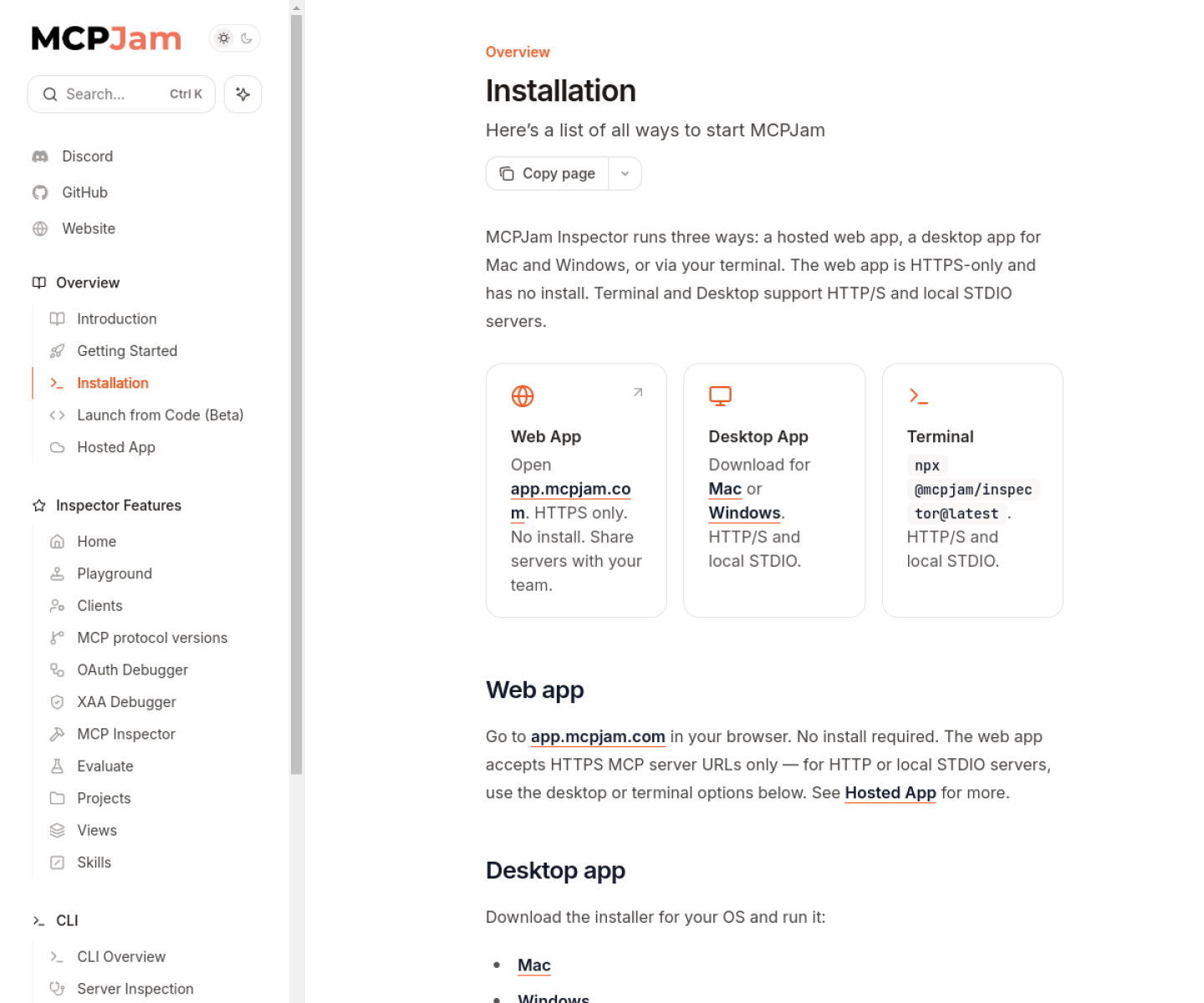
The stronger reason to care is operational fit. The installation docs are unusually practical about local STDIO, HTTP/S, Docker, and security-sensitive localhost binding. The project spans inspection, OAuth debugging, playground testing, and multiple launch surfaces instead of only one narrow debug page. Its open-source repository and published docs make the workflow more verifiable than most new MCP devtools.
How the workflow works
A sensible first pass is simple: start from the product's core entry point, validate the main loop on a representative task, and only then judge whether the surrounding automation is real. For MCPJam Inspector, that means users should launch mcpjam from the desktop app, web app, terminal, or docker, connect an mcp server, then inspect tools, oauth flows, prompts, and protocol behavior interactively. If that loop feels shorter, clearer, or easier to control than the alternatives, the product is doing something useful.
Where MCPJam Inspector stands out
| Evaluation angle | Fit | Why it matters | | --- | --- | --- | | Best-fit user | High | MCP server developers and app builders who need to inspect tools, prompts, resources, auth flows, and local servers without guessing through raw logs. | | Core workflow clarity | High | Launch MCPJam from the desktop app, web app, terminal, or Docker, connect an MCP server, then inspect tools, OAuth flows, prompts, and protocol behavior interactively. | | Switching cost reducer | Medium to high | The installation docs are unusually practical about local STDIO, HTTP/S, Docker, and security-sensitive localhost binding. | | Adoption risk | Medium | It is a developer tool, so nontechnical buyers will get far less value from it than teams actively building MCP servers. |
Practical use cases
- Inspecting MCP servers locally before release
- Debugging OAuth and tool behavior in MCP apps
- Testing OpenAI app and MCP workflows from one interface
Limits and buying notes
It is a developer tool, so nontechnical buyers will get far less value from it than teams actively building MCP servers. The strongest fit is protocol and integration work, not general-purpose end-user productivity. Pricing status today: The reviewed official sources show open-source install paths and free local usage via terminal, desktop, or Docker. Hosted pricing details were not the focus of the reviewed pages.
FAQ
What is MCPJam Inspector best for?
MCPJam Inspector is strongest when inspecting mcp servers locally before release matters more than a generic AI demo. The official product materials position it around a concrete workflow rather than a blank chatbot shell.
Who should try MCPJam Inspector first?
MCP server developers and app builders who need to inspect tools, prompts, resources, auth flows, and local servers without guessing through raw logs. Teams with a real workflow match will get value faster than general curiosity users.
What should buyers verify before adopting MCPJam Inspector?
It is a developer tool, so nontechnical buyers will get far less value from it than teams actively building MCP servers. The strongest fit is protocol and integration work, not general-purpose end-user productivity. Pricing, privacy, and workflow fit should be checked directly on the current product before rollout.
Reviewed sources
- https://docs.mcpjam.com/installation
- https://github.com/MCPJam/inspector
- https://www.producthunt.com/products/mcpjam-inspector
FAQ
What is MCPJam Inspector best for?
MCPJam Inspector is strongest when inspecting mcp servers locally before release matters more than a generic AI demo. The official product materials position it around a concrete workflow rather than a blank chatbot shell.
Who should try MCPJam Inspector first?
MCP server developers and app builders who need to inspect tools, prompts, resources, auth flows, and local servers without guessing through raw logs. Teams with a real workflow match will get value faster than general curiosity users.
What should buyers verify before adopting MCPJam Inspector?
It is a developer tool, so nontechnical buyers will get far less value from it than teams actively building MCP servers. The strongest fit is protocol and integration work, not general-purpose end-user productivity. Pricing, privacy, and workflow fit should be checked directly on the current product before rollout.