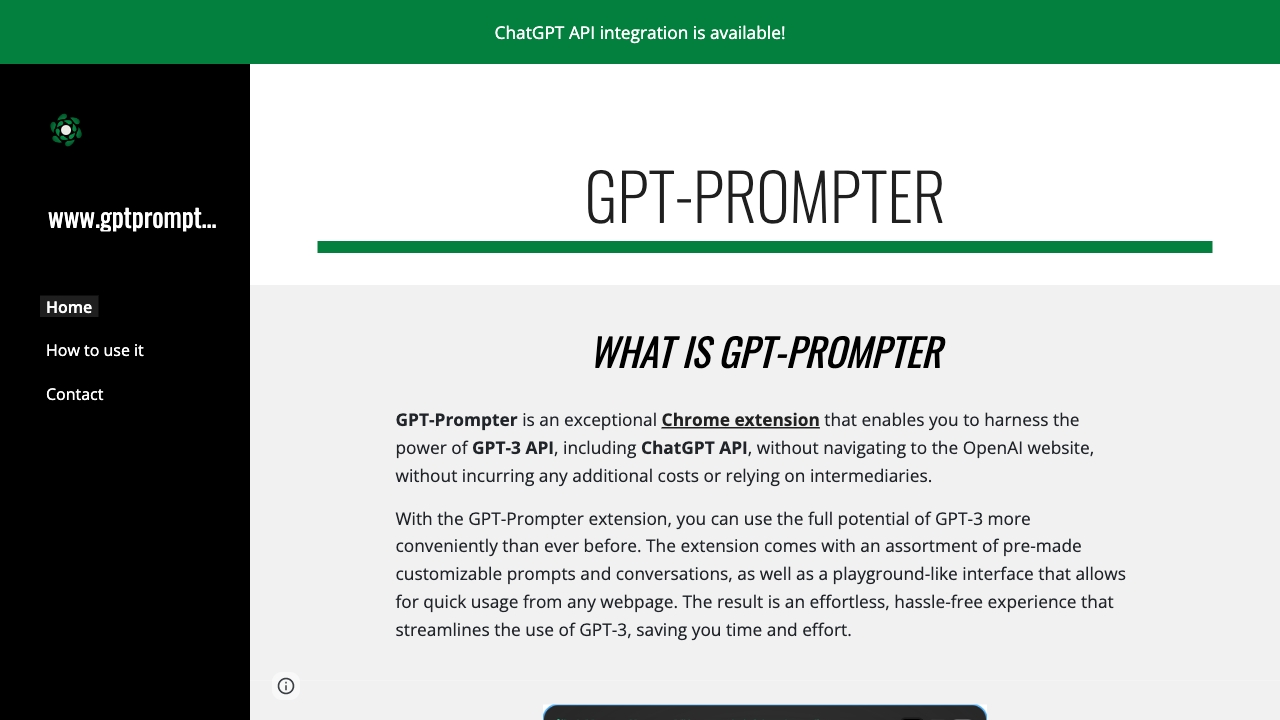
GPT-Prompter
An Easy Way to Use GPT-3, GPT-4, and ChatGPT API on Chrome Are you looking for a simple method to integrate GPT-3, GPT-4, and ChatGPT API into your Chrome browser? Look no further! This guide will walk you through the steps to enhance your browsing experience with these powerful AI tools. 1. Install the Chrome Extension Begin by downloading the official Chrome extension that supports GPT-3 and GPT-4. This extension allows seamless access to the API directly from your browser. 2. Set Up Your API Key After installation, you will need to input your API key. This key is essential for authenticating your requests to the GPT models. Make sure to keep it secure and do not share it publicly. 3. Start Using the AI With the extension installed and your API key set up, you can now start using GPT-3 and GPT-4. Simply type your queries or prompts in the designated area, and watch as the AI generates responses in real-time. 4. Explore Advanced Features Take advantage of advanced features such as customizing response length, tone, and style. This flexibility allows you to tailor the AI's output to better suit your needs. 5. Stay Updated Regularly check for updates to the extension to ensure you have the latest features and improvements. Staying updated will enhance your experience and provide access to new functionalities. By following these steps, you can easily harness the power of GPT-3, GPT-4, and ChatGPT API on Chrome, making your online tasks more efficient and enjoyable. Enjoy exploring the endless possibilities these AI tools offer!
AI Project Details
GPT-Prompter review: open-source browser extension for selected-text AI prompts
GPT-Prompter is an open-source browser extension for sending selected webpage text to OpenAI models through custom prompts. The project homepage describes a Chrome extension with pre-made customizable prompts, conversations, and a playground-like interface; the GitHub repository describes support for GPT-3, GPT-4, ChatGPT API workflows, user-stored API keys, Chrome and Firefox add-ons, and selected-text context-menu usage.
The important update is maintenance status. The GitHub repository was archived in October 2025, which means teams should treat GPT-Prompter as a useful historical/open-source extension rather than an actively maintained production dependency.
Best-fit use cases
| Use case | GPT-Prompter fit | Notes | |---|---:|---| | Personal selected-text prompting | Medium | Useful if the extension still works in the user's browser and model setup. | | Learning extension-based AI workflows | Medium | GitHub source can be studied and forked. | | Custom BYO-key prompting | Medium | Users control their API key, but must manage security and model updates. | | Enterprise deployment | Low | Archived status and browser-extension risk make it weak for managed teams. | | Long-term supported AI workflow | Low | Active alternatives are safer. |
What users should verify
Users should check whether the extension still installs, whether the Chrome or Firefox listings are current, whether OpenAI model names and API endpoints still work, where the API key is stored, whether permissions are acceptable, and whether a maintained fork exists.
The strongest value is transparency. Because GPT-Prompter is open source, developers can inspect the code and understand how selected text, prompts, and API keys are handled. The weakness is the same: if the project is archived, security updates and compatibility fixes may not arrive.
Strengths
- Open-source extension with inspectable code.
- Simple selected-text workflow for quick prompts from webpages.
- BYO-key model can avoid relying on an intermediary service.
Limitations
- GitHub repository is archived and read-only.
- Model/API compatibility may be outdated.
- Users must understand browser-extension permissions and API-key storage risk.
Bottom line
GPT-Prompter should be indexed as an open-source browser extension for selected-text AI prompting, with a clear maintenance caveat. It is best for technical users, learning, or forked workflows, not for teams that need active support and compliance controls.
Sources reviewed: GPT-Prompter homepage, GPT-Prompter GitHub repository.
FAQ
What is GPT-Prompter best for?
GPT-Prompter is best for technical users who want a browser extension that sends selected text to AI prompts and who are comfortable checking maintenance and API compatibility.
Is GPT-Prompter still actively maintained?
The GitHub repository is archived and read-only, so users should treat it as an older open-source project unless they find a maintained fork or maintain it themselves.
Is GPT-Prompter safe for API keys?
Users should inspect where keys are stored, review extension permissions, avoid shared machines, and prefer actively maintained tools for sensitive or professional workflows.