Google Antigravity CLI
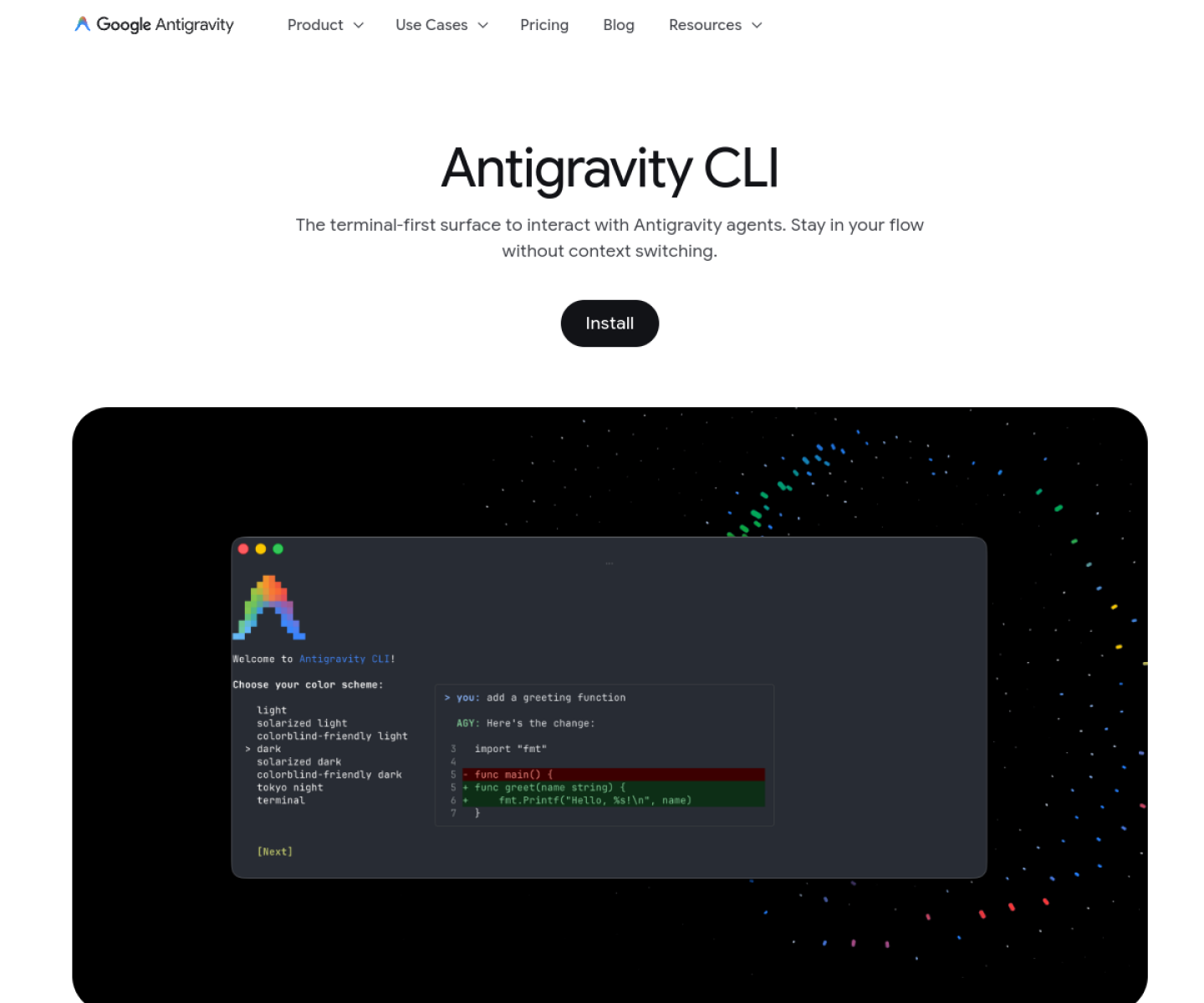
Terminal-first interface for Google Antigravity agents, built for multi-step coding work, subagents, tool calling, and conversation export into Antigravity 2.0.
AI Project Details
Google Antigravity CLI review: Terminal-first interface for Google Antigravity agents, built for multi-step coding work, subagents, tool calling, and conversation export into Antigravity 2.0.
Google Antigravity CLI is built for keyboard-first developers who want the antigravity agent stack without switching to the full graphical workspace. Instead of asking users to replace their whole toolchain, the product wraps a familiar workflow around install the cli, authenticate through the local keyring or browser flow, work from the terminal with slash commands and subagents, and export a conversation into antigravity 2.0 when the task needs a larger visual surface. That makes it easier to judge on practical fit rather than hype.
What the product changes day to day
The real question is whether the workspace removes enough friction to matter. The official docs are clear that the CLI and Antigravity 2.0 share the same agent harness and settings rather than being disconnected products. The product ships with concrete migration support from Gemini CLI, including import of extensions, skills, and MCP servers. Its subagent and permissions model is substantial enough to make the CLI a real workflow surface, not only a thin wrapper around chat.
What the workflow feels like
For a serious evaluation, start with one active project instead of a synthetic demo. In practice that means users should install the cli, authenticate through the local keyring or browser flow, work from the terminal with slash commands and subagents, and export a conversation into antigravity 2.0 when the task needs a larger visual surface. If the product keeps context visible and cuts down tool hopping, the value shows up quickly.
Where it earns attention
| Evaluation angle | Fit | Why it matters | | --- | --- | --- | | Best-fit user | High | Keyboard-first developers who want the Antigravity agent stack without switching to the full graphical workspace. | | Core workflow clarity | High | Install the CLI, authenticate through the local keyring or browser flow, work from the terminal with slash commands and subagents, and export a conversation into Antigravity 2.0 when the task needs a larger visual surface. | | Switching cost reducer | Medium to high | The official docs are clear that the CLI and Antigravity 2.0 share the same agent harness and settings rather than being disconnected products. | | Adoption risk | Medium | The reviewed public pages emphasize the Google ecosystem and Antigravity workflow, so teams already standardized elsewhere should weigh migration cost carefully. |
Practical use cases
- Running Antigravity agents from a low-overhead terminal interface
- Delegating background work to subagents during coding tasks
- Migrating existing Gemini CLI workflows into a newer shared agent platform
Limits and buying notes
The reviewed public pages emphasize the Google ecosystem and Antigravity workflow, so teams already standardized elsewhere should weigh migration cost carefully. As with other powerful coding-agent CLIs, the permissions model still needs deliberate configuration before wider team rollout. Pricing status today: Google Antigravity CLI's reviewed official pages provide download and docs but did not expose a separate standalone CLI pricing page during review.
FAQ
What is Google Antigravity CLI best for?
Google Antigravity CLI is strongest when running antigravity agents from a low-overhead terminal interface matters more than a generic AI demo. The official product materials position it around a concrete workflow rather than a blank chatbot shell.
Who should try Google Antigravity CLI first?
Keyboard-first developers who want the Antigravity agent stack without switching to the full graphical workspace. Teams with a real workflow match will get value faster than general curiosity users.
What should buyers verify before adopting Google Antigravity CLI?
The reviewed public pages emphasize the Google ecosystem and Antigravity workflow, so teams already standardized elsewhere should weigh migration cost carefully. As with other powerful coding-agent CLIs, the permissions model still needs deliberate configuration before wider team rollout. Pricing, privacy, and workflow fit should be checked directly on the current product before rollout.
Reviewed sources
- https://antigravity.google/product/antigravity-cli?app=antigravity
- https://www.antigravity.google/docs/cli-overview
- https://antigravity.google/blog/introducing-google-antigravity-cli?app=antigravity
FAQ
What is Google Antigravity CLI best for?
Google Antigravity CLI is strongest when running antigravity agents from a low-overhead terminal interface matters more than a generic AI demo. The official product materials position it around a concrete workflow rather than a blank chatbot shell.
Who should try Google Antigravity CLI first?
Keyboard-first developers who want the Antigravity agent stack without switching to the full graphical workspace. Teams with a real workflow match will get value faster than general curiosity users.
What should buyers verify before adopting Google Antigravity CLI?
The reviewed public pages emphasize the Google ecosystem and Antigravity workflow, so teams already standardized elsewhere should weigh migration cost carefully. As with other powerful coding-agent CLIs, the permissions model still needs deliberate configuration before wider team rollout. Pricing, privacy, and workflow fit should be checked directly on the current product before rollout.