Edit Videos Online
The Online Video Editor: A Free, Watermark-Free Tool with Professional-Grade Features Are you looking for a powerful video editing solution that won’t cost you a dime? Look no further! The Online Video Editor is a free tool that offers professional-grade features without any watermarks. Key Features: - User-Friendly Interface: Easily navigate through the editing process, making it accessible for both beginners and experienced editors. - High-Quality Output: Create stunning videos with no loss in quality, ensuring your final product looks professional. - Versatile Editing Tools: Enjoy a range of features including trimming, cutting, and merging videos, as well as adding text and effects. - Cloud-Based Convenience: Edit your videos from anywhere, anytime, without the need for software installation. Why Choose the Online Video Editor? This tool not only saves you money but also provides you with the flexibility to create high-quality videos effortlessly. Whether you’re making content for social media, personal projects, or professional presentations, the Online Video Editor has everything you need to bring your vision to life. Start editing today and experience the freedom of a watermark-free video editing tool that delivers professional results!
AI Project Details
Edit Videos Online review: browser-based video editor with AI background removal
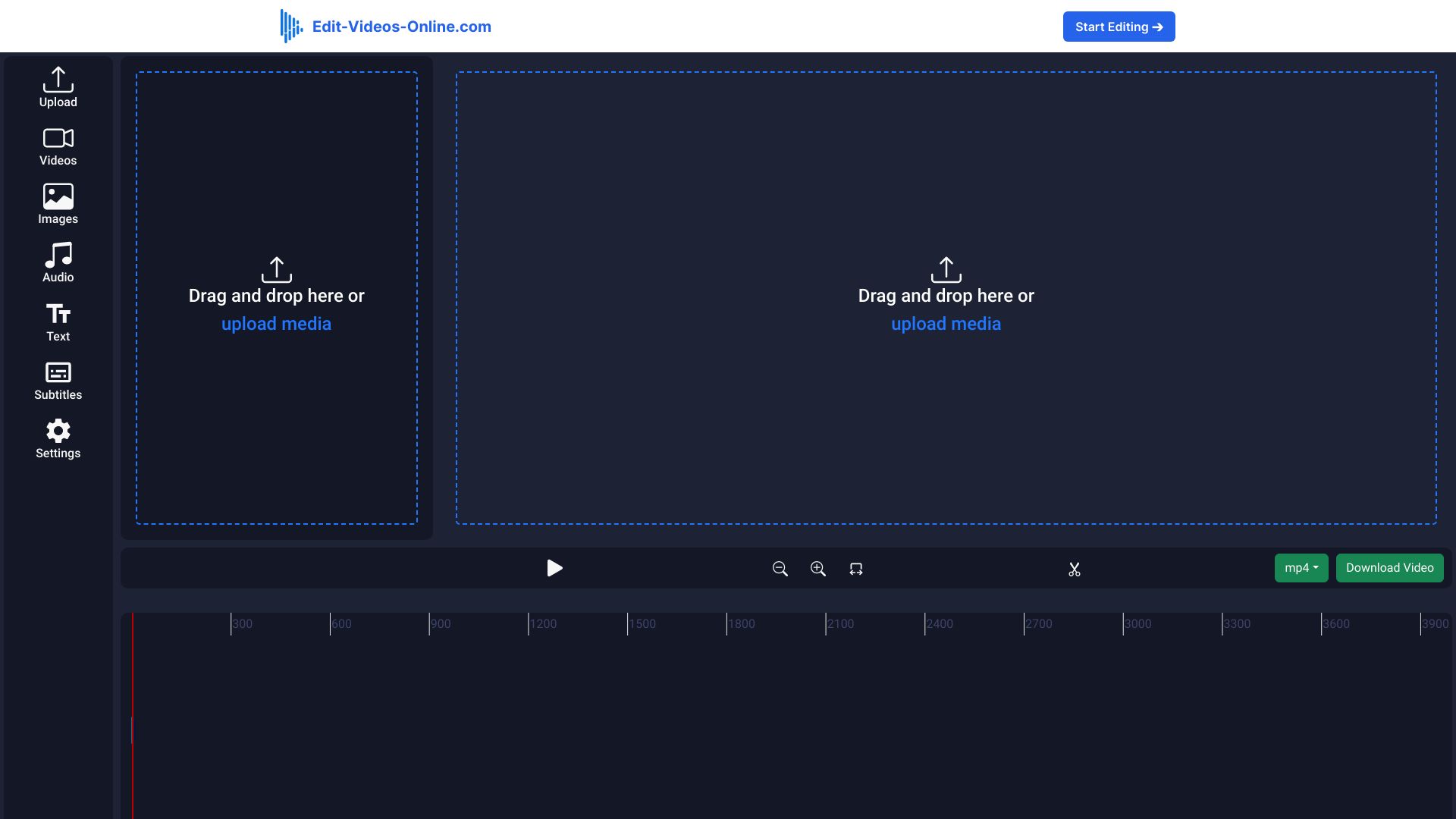
Edit Videos Online is a browser-based video editor for adding captions, removing backgrounds, inserting audio, applying text overlays, watermarking, and exporting social videos without installing software. The current homepage positions it as an online video editor for TikTok, Instagram, and YouTube. It highlights no software required, no account needed for editing, AI background removal, automatic caption generation, dynamic text overlays, advanced audio tools, brand watermarking, supported formats, upload security, export workflow, and specialized video tools. The page also shows a lifetime-access offer, a monthly plan comparison, future updates, higher-resolution exports, longer exports, and a 30-day money-back guarantee.
The strongest fit is a creator, marketer, educator, or small business that needs lightweight online edits rather than a full desktop editing suite. It is not ideal for long documentaries, complex timelines, heavy color grading, or studio-level collaboration.
Best-fit use cases
| Use case | Fit | Notes | |---|---:|---| | Short social video edits | High | TikTok, Instagram, and YouTube are central positioning. | | Captions and text overlays | High | Automatic captions and dynamic text are promoted. | | Video background removal | Medium to high | AI background removal is a core feature. | | Quick product or creator clips | Medium to high | Useful for fast browser edits. | | Professional post-production | Low to medium | Dedicated editors still have deeper controls. |
Core workflow
A practical workflow starts by uploading a short clip, applying captions, trimming and adjusting audio, testing background removal on a representative frame, adding brand watermarking or text overlays, previewing mobile formats, and exporting only after checking caption accuracy and visual artifacts.
What users should verify
Users should verify maximum file size, video length limits, supported formats, export resolution, watermark rules, privacy and upload handling, refund terms, whether lifetime pricing is still active, background removal accuracy, caption language support, audio controls, browser performance, and whether exported files meet platform requirements.
Strengths
- Browser-based editing lowers setup friction.
- Useful AI features include background removal and automatic captions.
- Social-video positioning makes it practical for quick creator workflows.
- Pricing comparison is transparent about lifetime versus monthly access on the reviewed page.
Limitations
- Scarcity-based lifetime deal claims should be confirmed before purchase.
- AI background removal can create edge artifacts around hair, hands, or products.
- Long projects and complex editing workflows may exceed browser performance.
- Caption accuracy still needs human review before publishing.
Bottom line
Edit Videos Online is best for fast, lightweight social video edits in the browser. It is useful for captions, backgrounds, overlays, and quick exports, but serious video work still benefits from deeper editing tools and manual QA.
Sources reviewed: Edit Videos Online homepage, Edit Videos Online pricing route.
FAQ
What is Edit Videos Online best for?
Edit Videos Online is best for quick browser-based edits to short social videos, including captions, background removal, overlays, audio, and watermarks.
Does Edit Videos Online require software installation?
The homepage positions it as an online editor that does not require downloading software, making it useful for lightweight browser workflows.
What should users check before buying Edit Videos Online?
Users should check current pricing, refund terms, export resolution, video length limits, file size limits, watermark rules, upload privacy, caption accuracy, and background removal quality.