DeepBrain AI
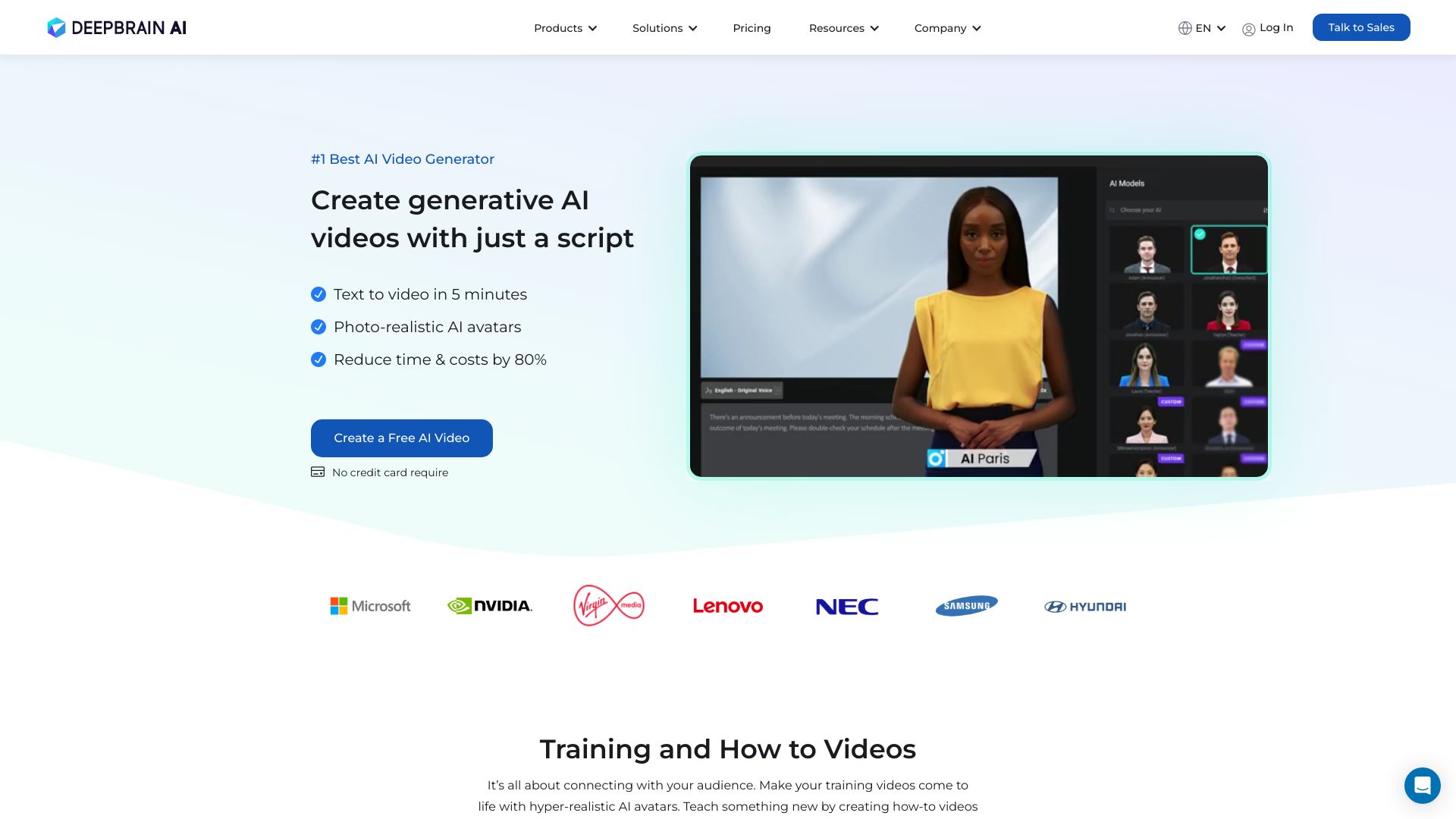
DeepBrain AI: The Ultimate Video Generator with Realistic AI Avatars In today's digital landscape, creating engaging video content is essential for capturing audience attention. DeepBrain AI stands out as a versatile video generator that utilizes advanced technology to produce high-quality videos featuring realistic AI avatars. Why Choose DeepBrain AI? 1. **Versatility**: Whether you need promotional videos, educational content, or social media clips, DeepBrain AI adapts to your specific requirements. 2. **Realistic Avatars**: The AI avatars created by DeepBrain AI are designed to look and act like real people, enhancing viewer engagement and connection. 3. **User-Friendly Interface**: With an intuitive platform, users can easily navigate and create videos without any technical expertise. Boost Your Content Strategy Incorporating DeepBrain AI into your content strategy can significantly enhance your video marketing efforts. By leveraging realistic AI avatars, you can create compelling narratives that resonate with your audience, ultimately driving higher engagement rates and reducing bounce rates. Experience the future of video creation with DeepBrain AI and transform your content into captivating visual stories.
AI Project Details
DeepBrain AI review: AI Studios for avatar video, dubbing, and training content
DeepBrain AI's AI Studios is an AI video creation platform centered on avatars, templates, text-to-speech, dubbing, and business video workflows. The current AI Studios page describes 2,000+ ready-to-use AI avatars, custom avatars, photo avatars, product avatars, interactive avatars, video templates, text-to-speech in 150+ languages, AI dubbing with translation, topic-to-video, URL/document/article-to-video tools, screen recording, auto captions, brand kit, course builder, SCORM export, and conversational avatar deployment across web, app, and kiosk channels. The pricing page lists Free, Personal, Team, and Enterprise plans, plus a separate interactive avatar plan, generative credits, AI dubbing usage, and plan-level feature comparisons.
The strongest fit is a marketing, learning and development, sales enablement, or customer education team that needs repeatable videos without booking presenters, studios, or translators every time. It is less ideal for cinematic storytelling, regulated claims, or emotionally sensitive content where an avatar may feel impersonal.
Best-fit use cases
| Use case | Fit | Notes | |---|---:|---| | Training and onboarding videos | High | Course builder, quizzes, branching, and SCORM export are highlighted. | | Multilingual video localization | High | AI dubbing and 150+ language support are core claims. | | Marketing explainers | Medium to high | Templates, avatars, captions, and brand kit can speed production. | | Interactive customer agents | Medium to high | Conversational avatar deployment is a distinct feature area. | | High-emotion brand films | Medium | Human presenters may still work better. |
Core workflow
A practical AI Studios workflow starts with a script or source document, chooses an avatar and template, generates narration, adds brand styling, reviews pronunciation and captions, localizes with dubbing if needed, and exports to the right channel. Training teams should test SCORM output in their LMS before committing to a large rollout.
What users should verify
Teams should verify avatar realism, pronunciation, lip sync, language quality, dubbing minutes, generative credits, template flexibility, brand-kit controls, caption accuracy, SCORM compatibility, interactive avatar latency, LLM integration behavior, consent for custom avatars, voice rights, deepfake safeguards, export quality, and enterprise security terms.
Strengths
- Broad video workflow across avatars, templates, dubbing, captions, and training.
- Strong fit for repeatable business videos and multilingual localization.
- Pricing page explains plan tiers, credits, AI dubbing, and enterprise options.
- Interactive avatar and course-builder features go beyond simple text-to-video.
Limitations
- Avatar output can feel synthetic if script quality or voice selection is weak.
- Custom avatars and voice use require consent and governance.
- Dubbing and translation still need native review for important markets.
- Credit and minute limits must be modeled before scaling production.
Bottom line
DeepBrain AI is best for business teams that need scalable avatar video, training, and localization workflows. Treat it as a production system with human review, rights checks, and brand governance rather than a casual video generator.
Sources reviewed: DeepBrain AI Studios, AI Studios pricing.
FAQ
What is DeepBrain AI best for?
DeepBrain AI is best for creating repeatable avatar videos, training content, multilingual explainers, AI dubbing workflows, and interactive avatar experiences.
Can DeepBrain AI be used for e-learning?
Yes. AI Studios promotes course builder features, training videos, quizzes, branching scenarios, and SCORM export for LMS workflows.
What should teams check before adopting DeepBrain AI?
Teams should check avatar realism, pronunciation, dubbing quality, language review, credits, export quality, SCORM compatibility, consent for custom avatars, voice rights, and enterprise security terms.