ChatHub
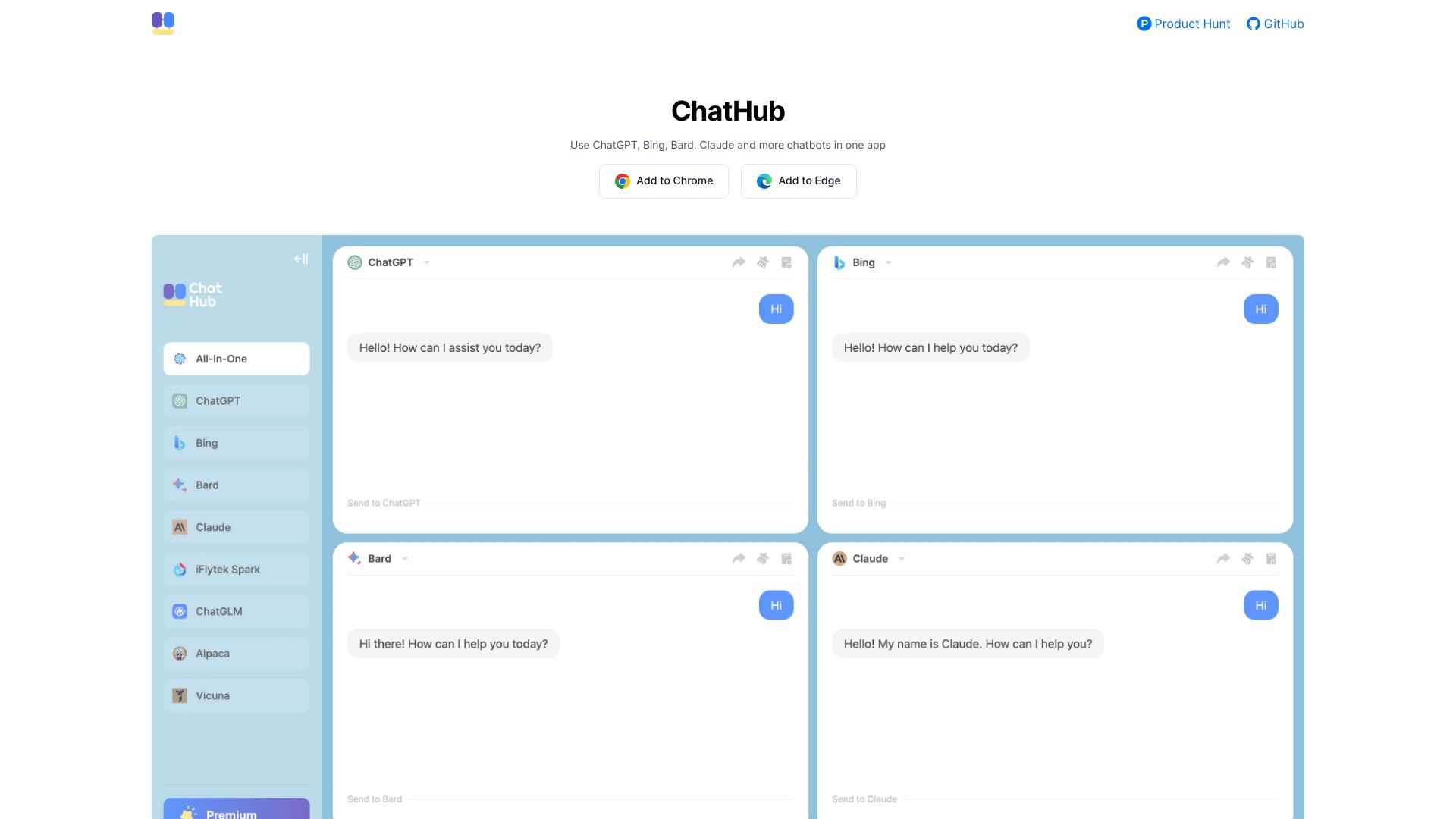
ChatHub: The Ultimate Browser Extension for Multi-Chatbot Use Are you tired of switching between different chatbots? Look no further! ChatHub is a powerful browser extension designed to enhance your chatting experience by allowing you to use multiple chatbots simultaneously. With ChatHub, you can easily manage various conversations in one convenient interface. Whether you need assistance from different AI models or want to compare responses, ChatHub makes it effortless. Key Features of ChatHub: - **Multi-Chatbot Functionality**: Engage with several chatbots at the same time without the hassle of constant switching. - **User-Friendly Interface**: Navigate through your conversations seamlessly with an intuitive design. - **Enhanced Productivity**: Save time and increase efficiency by accessing multiple chatbots in one place. Join the growing community of users who have transformed their chatting experience with ChatHub. Download the extension today and unlock the full potential of multi-chatbot interactions!
AI Project Details
ChatHub review: compare multiple AI models side by side
ChatHub is a multi-model AI chat product that lets users ask one question and compare responses from ChatGPT, Claude, Gemini, and other models side by side. The current homepage promotes GPT-5, Claude 4.5, Gemini 3, 20+ models, AI image generation, file upload and analysis, web access, browser extension, desktop apps, and mobile apps. The download page confirms dedicated options for iOS, Android, Windows, macOS, web app, and Chrome extension.
ChatHub is most useful when model comparison improves confidence. A single chatbot can hallucinate or miss a useful angle; seeing multiple answers can help users spot disagreement, stronger reasoning, or better phrasing.
Best-fit use cases
| Use case | Fit | Notes | |---|---:|---| | Comparing model answers | High | Side-by-side output is the core value. | | Research and brainstorming | High | Multiple perspectives help. | | File and image analysis | Medium to high | Test limits and supported formats. | | Enterprise knowledge work | Medium | Check data controls before sensitive use. | | Users loyal to one model | Low | The comparison layer matters less. |
What users should verify
Users should check current model availability, message limits, pricing, file-size limits, image-generation models, browser extension permissions, privacy settings, retention terms, mobile app quality, and whether side-by-side comparison saves time instead of creating more output to review.
Strengths
- Strong multi-model comparison workflow.
- Available across browser, desktop, and mobile surfaces.
- Supports image generation and file analysis claims.
- Useful when accuracy requires cross-checking model behavior.
Limitations
- Model availability can change over time.
- More answers can mean more review work.
- Sensitive data needs privacy and retention review.
- Side-by-side answers still require source checking.
Bottom line
ChatHub is a strong fit for users who actively compare AI models. Its value is not just "more chatbots"; it is the ability to see where models agree, disagree, and reveal blind spots before trusting an answer.
Sources reviewed: ChatHub homepage, ChatHub downloads, ChatHub tools.
FAQ
What is ChatHub best for?
ChatHub is best for comparing multiple AI model responses side by side, especially when users want more confidence before trusting an answer.
Which platforms does ChatHub support?
ChatHub's download page lists web app, Chrome extension, iOS and Android apps, Windows, and macOS options.
What should users check before using ChatHub for work files?
Users should check file limits, privacy terms, retention settings, model access, extension permissions, and whether the data is safe to upload.