ApiX-Drive
Automate Tasks Without Coding: A Simple Guide to Streamlining Your Workflow In today's fast-paced world, automating tasks without coding has become essential for enhancing productivity. Whether you're a busy professional or a small business owner, leveraging automation tools can save you time and effort. Why Automate? 1. **Increased Efficiency**: Automating repetitive tasks allows you to focus on more important aspects of your work. 2. **Error Reduction**: Automation minimizes the risk of human error, ensuring tasks are completed accurately. 3. **Cost-Effective**: By streamlining processes, you can reduce operational costs and allocate resources more effectively. Top Tools for Automation - **Zapier**: Connects your favorite apps and automates workflows without any coding knowledge. - **IFTTT (If This Then That)**: A user-friendly platform that allows you to create simple automation rules between different services. - **Microsoft Power Automate**: Ideal for businesses using Microsoft products, it enables seamless automation across various applications. Getting Started with Automation 1. **Identify Repetitive Tasks**: List out tasks that consume a lot of your time and can be automated. 2. **Choose the Right Tool**: Select an automation tool that fits your needs and is easy to use. 3. **Set Up Your Automations**: Follow the tool's instructions to create your automation workflows. Conclusion Automating tasks without coding is not only possible but also incredibly beneficial. By utilizing the right tools, you can enhance your productivity, reduce errors, and save valuable time. Start automating today and experience the difference it can make in your daily routine!
AI Project Details
ApiX-Drive review: no-code app integrations for business process automation
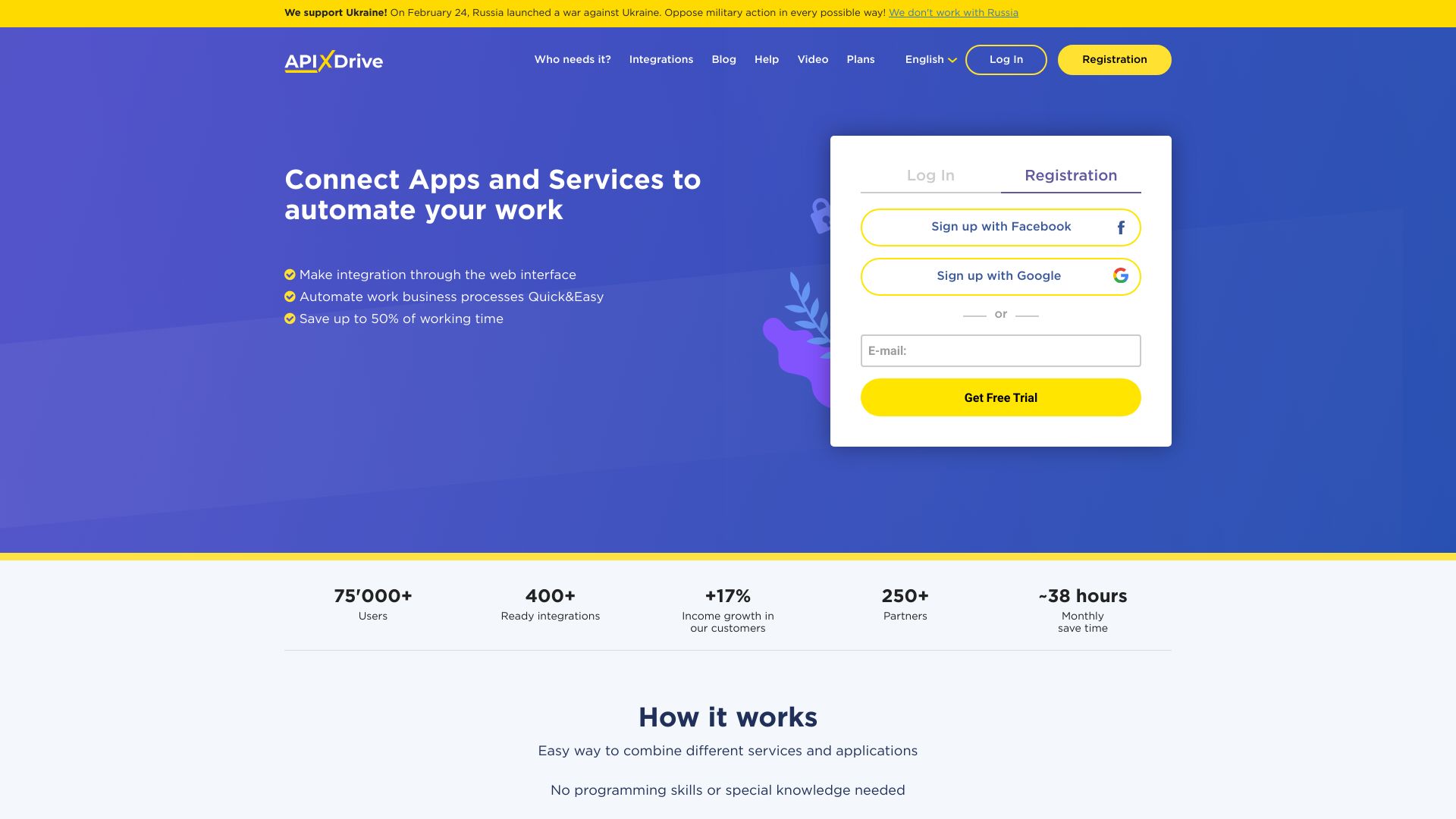
ApiX-Drive is a no-code integration platform for connecting apps and automating routine business processes. The current homepage positions it as an online connector with hundreds of ready integrations, a web interface, and no programming requirement. It describes "if something happened in one system, perform a corresponding action in another service" workflows across CRMs, messengers, Google Docs, call tracking, callbacks, online chats, advertising lead sources, and other business systems.
The strongest fit is a small business, agency, marketer, sales team, or operations team that needs to move leads and events between tools without custom integration work. ApiX-Drive is especially relevant when the automation is practical and repetitive: new Facebook or Instagram leads into a CRM, contact forms into spreadsheets, chat events into notifications, or CRM changes into follow-up tools.
Best-fit use cases
| Use case | Fit | Notes | |---|---:|---| | Lead routing automation | High | Homepage examples mention Facebook, Instagram, Google Sheets, CRM, and messaging flows. | | No-code app integration | High | The product is built around web-based connectors. | | SMB operations automation | High | No programmers or special knowledge are required. | | Marketing and sales handoff | Medium to high | Common use case for form, ad, CRM, and messenger data. | | Complex custom backend orchestration | Medium | Custom iPaaS or engineering may fit better. |
What users should verify
Teams should test supported apps, trigger and action coverage, field mapping, error handling, retry behavior, rate limits, data transformation, logging, account permissions, security, pricing, free-trial limits, notification behavior, GDPR needs, and whether the integration handles duplicate leads or partial failures gracefully.
Strengths
- Clear no-code integration workflow for non-technical teams.
- Large ready-integration positioning makes it useful for common business tools.
- Good fit for lead routing, CRM updates, messenger alerts, and spreadsheet automation.
- Website gives concrete user, integration, and trial positioning for initial evaluation.
Limitations
- Complex business logic may require a more advanced iPaaS or custom code.
- Buyers should validate app-specific trigger/action depth, not just whether an app logo exists.
- Data privacy and account permissions need review before connecting production systems.
- Automation reliability depends on API stability of each connected service.
Bottom line
ApiX-Drive is best for teams that need practical no-code integrations between marketing, sales, CRM, chat, and spreadsheet tools. It should be tested with the exact trigger, fields, and error cases that matter before relying on it for revenue-critical lead flow.
Sources reviewed: ApiX-Drive homepage, ApiX-Drive pricing path.
FAQ
What is ApiX-Drive best for?
ApiX-Drive is best for no-code integrations that move leads, events, contacts, or notifications between marketing, sales, CRM, messaging, and spreadsheet tools.
Does ApiX-Drive require coding?
No. ApiX-Drive positions itself as a web-based connector that does not require programmers or special technical knowledge.
What should teams check before using ApiX-Drive?
Teams should check supported apps, trigger and action depth, field mapping, retries, logs, rate limits, pricing, duplicate handling, security, and privacy requirements.