marketingadvertising-assistantChecking...
Photoshift
Easily convert product images to achieve lifelike outcomes.
#AI tool#product photography#seamless blending#realistic imagery#background removal#stock images#MidJourney scenes#visual transformations#tailored experience#customizable backdrops#diverse product types#transparent backgrounds#commercial license#ownership#effortless adjustments#angle and size adaptability
Nov 23, 2024
3 views
AI Project Details
What is Photoshift?
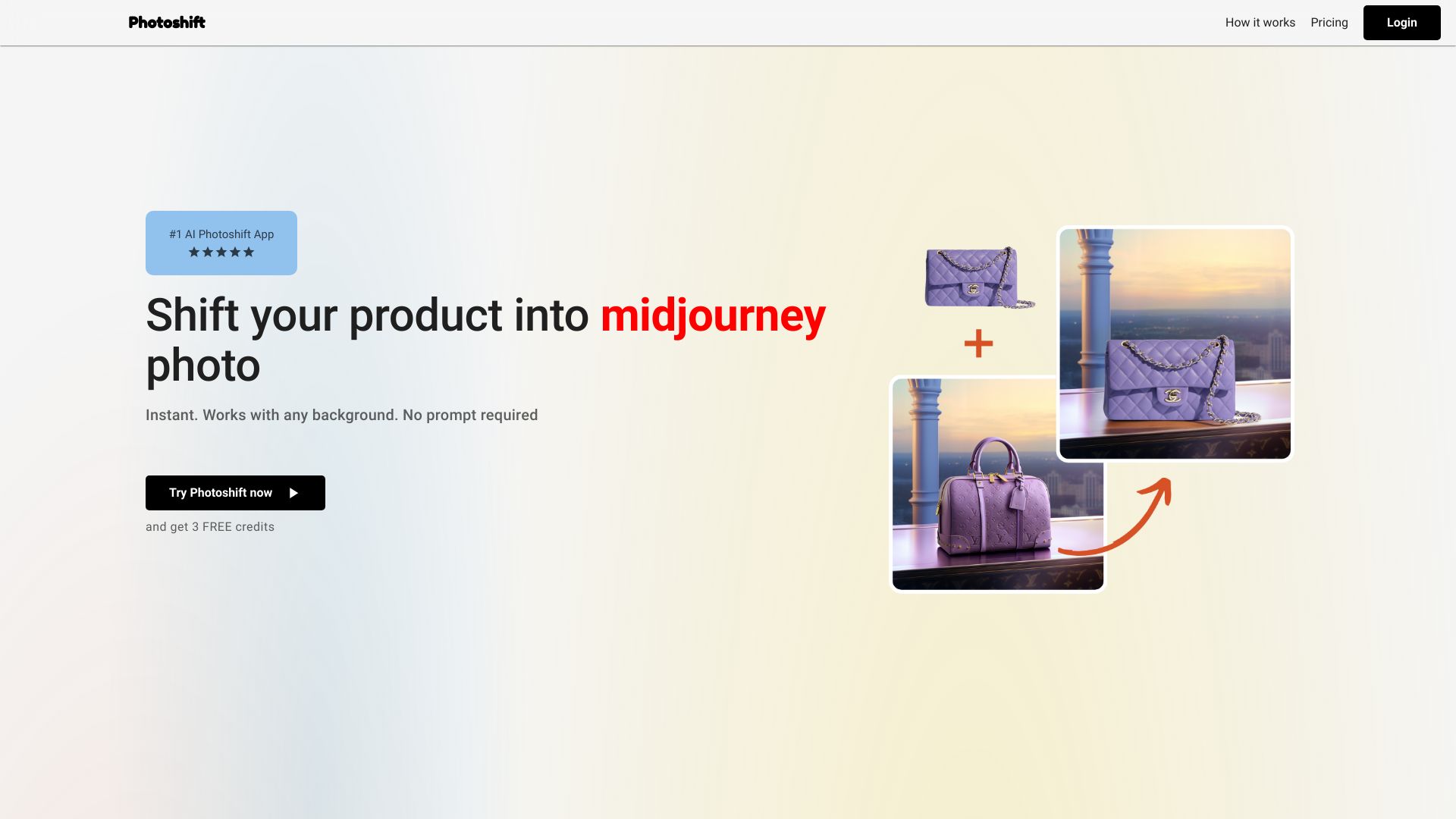
Transform your product photos effortlessly with Photoshift, an AI tool that blends your images seamlessly into mid-journey or any backdrop scene, creating stunning and realistic imagery.
How to use Photoshift?
To use Photoshift, simply upload a background scene, add your product image, and with just one click, blend your product into the scene for strikingly realistic visuals.
Photoshift's Core Features
- Instantaneous transformations: Quickly transform images with ease.
- Automatic removal of the background: Effortlessly eliminate backgrounds from product images.
- Seamless integration of diverse product types: Compatible with various product images.
- Customizable user experience with stock backdrops: Choose from a variety of stock backgrounds.
- Adaptable composition features: Adjust the composition to fit your needs.
- Smart adjustment of lighting and shadowing: Enhance the realism of your images.
- Support for images with transparent backgrounds: Use images with transparent backgrounds for more versatility.
- Full commercial license and ownership of photos: Maintain ownership of your edited images.
Photoshift's Use Cases
- Elevating product presentation: Improve the visual appeal of your products.
- Creating engaging scenes: Design captivating scenes for marketing.
- Presenting products from various angles and sizes: Showcase products comprehensively.
FAQ from Photoshift
- Can I use my product images regardless of the product type?
- Can I use any stock photo or backdrop?
- Can I adjust the angle, composition, and size of my product within the scene?
- How does the software adjust the lighting and shadowing?
- Can I use product images with transparent backgrounds?
- Who owns the pictures?
- Is there a trial period available?
- Do I need a subscription?
- Can I get an Invoice?
- Can I cancel my subscription at any time?
- Do you provide any templates or pre-set backdrops?
- How can I contact customer support?
Additional Information
- Photoshift Support Email: [email protected]
- Company Name: Photoshift
- Login Link: Photoshift Login
- Pricing Link: Photoshift Pricing
- Twitter Link: Photoshift Twitter
For more details, visit Photoshift's official website.