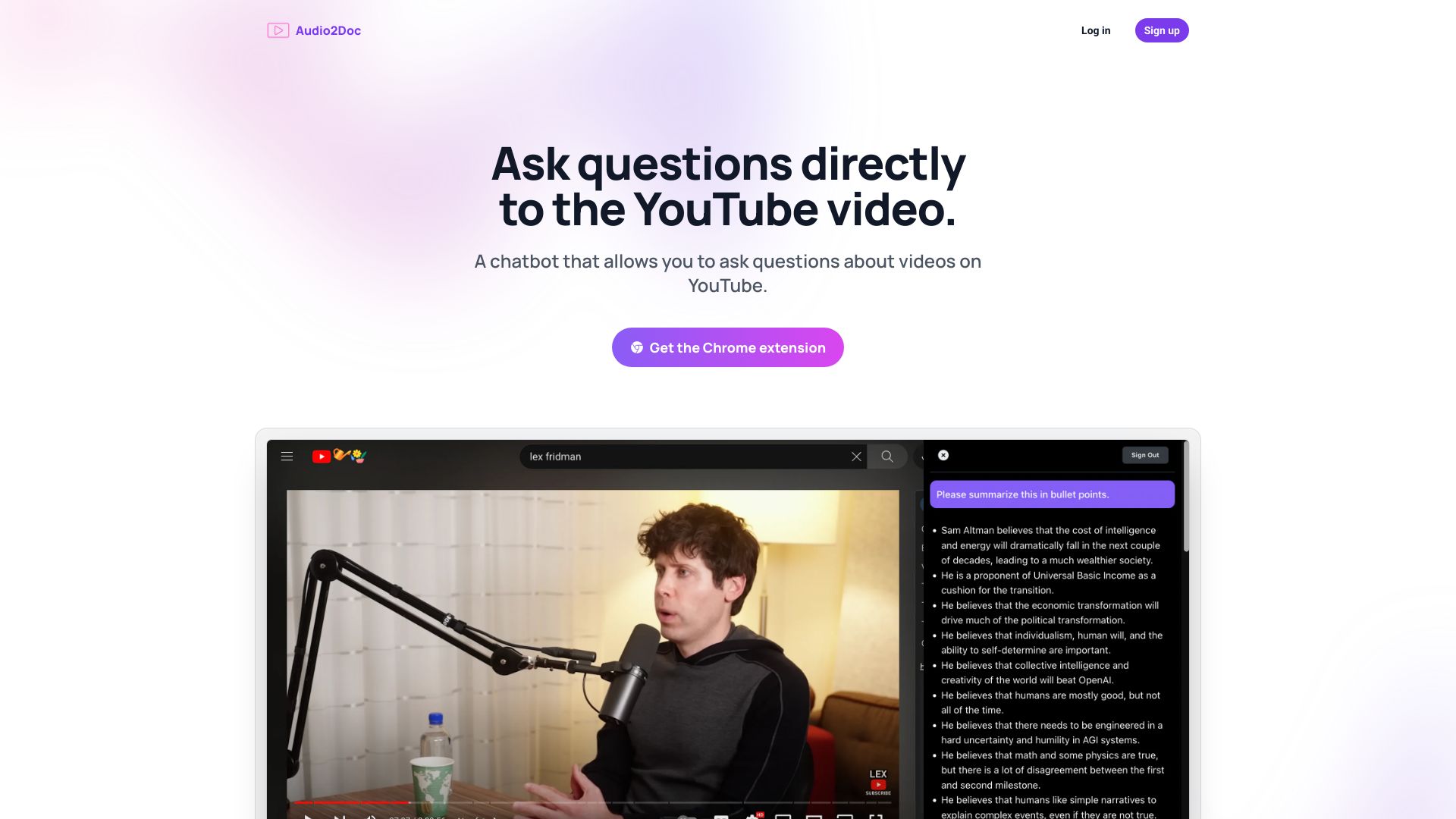
Audio2Doc - A chatbot on YouTube
chatbotai-chatbotChecking...

Audio2Doc - A chatbot on YouTube

Titel: Interaktive Video-Erlebnisse: Fragen Sie den Chatbot während des Anschauens Meta-Beschreibung: Entdecken Sie, wie Sie während des Anschauens von Videos direkt Fragen an den Chatbot stellen können und somit Ihr interaktives Erlebnis verbessern. In einer zunehmend digitalen Welt wird Interaktivität immer wichtiger. Besonders beim Anschauen von Videos können Sie Ihre Erfahrung erheblich verbessern, indem Sie dem Chatbot direkt Fragen stellen. Dies ermöglicht eine sofortige Klärung von Unklarheiten und fördert ein tieferes Verständnis des Inhalts. Warum sollten Sie den Chatbot während des Videos nutzen? 1. **Schnelle Antworten:** Stellen Sie Fragen in Echtzeit und erhalten Sie sofortige Antworten, ohne das Video pausieren zu müssen. 2. **Verbesserte Interaktion:** Durch das Einbinden eines Chatbots wird das Zuschauerlebnis dynamischer und ansprechender. 3. **Individuelle Lernerfahrung:** Der Chatbot kann Ihnen maßgeschneiderte Informationen basierend auf Ihren Fragen bieten. Wie funktioniert es? - Starten Sie Ihr Video und aktivieren Sie den Chatbot. - Stellen Sie direkt während des Anschauens Ihre Fragen. - Erhalten Sie sofortige, kontextbezogene Antworten, die auf den Videoinhalt abgestimmt sind. Zusammenfassung: Nutzen Sie die Vorteile des Chatbots während des Videoanschauens, um Ihre Fragen zu klären und die Interaktivität zu steigern. Diese innovative Funktion verbessert nicht nur Ihr Verständnis, sondern macht das Anschauen von Videos auch spannender. Machen Sie Ihr Seherlebnis unvergesslich!

#YouTube#Chatbot#Chrome-Erweiterung#Video#Frage und Antwort
Dec 26, 2024
0 views
Audio2Doc - A chatbot on YouTube

Details des AI-Projekts

Was ist Audio2Doc?

Audio2Doc ist eine innovative Chrome-Erweiterung, die es Benutzern ermöglicht, während des Anschauens von YouTube-Videos Fragen an einen Chatbot zu stellen. Diese Funktion verbessert das Lernen und die Interaktion mit den Inhalten erheblich, da sie den Nutzern hilft, Informationen in Echtzeit zu erhalten.

Vorteile von Audio2Doc

  • Interaktive Lernmöglichkeiten durch direkte Fragen an den Chatbot.
  • Einfache Integration in den Chrome-Browser für nahtlose Nutzung.
  • Verbesserte Informationsaufnahme während des Videoanschauens.
  • Ermöglicht das Speichern und Abrufen von Antworten für spätere Bezugnahme.
```data-v-94c44e16=\"\">\n

\n Sofortige Antworten zu Inhalten in Echtzeit\n

\n
\n
\n

\n Benutzerfreundliche Schnittstelle f\u00fcr eine einfache Interaktion\n

\n
\n
\n

\n Unterstützung f\u00fcr verschiedene Arten von Inhalten und Medien\n

\n
\n
\n
\n
It looks like you've pasted some HTML code that is likely part of a webpage layout, possibly related to a service called "Audio2Doc". The content seems to be in German and discusses the ability to receive immediate answers without leaving YouTube, as well as outlining use cases for the service. Here’s a brief summary of the content based on the provided HTML: 1. **Immediate Answers**: The service allows users to get instant responses while staying on YouTube. 2. **Use Cases**: - One specific application mentioned is obtaining additional information about YouTube videos. If you have any specific questions or need further assistance with this content, feel free to ask!It looks like you've provided a snippet of HTML code that contains a section from a FAQ page for "Audio2Doc." The snippet includes a question about how to install the Audio2Doc Chrome extension, but it appears to be incomplete. If you're looking for guidance or information related to the installation of the Audio2Doc Chrome extension or any other specific questions, feel free to ask! I can help provide instructions or answer any queries you might have.It looks like you've pasted a snippet of HTML code, possibly from a web page that includes some content about asking questions to a chatbot. If you have a specific question or need assistance related to this content, please let me know how I can help!It looks like you've shared a snippet of HTML code that seems to be part of a user interface, possibly from a website or web application. This snippet includes a heading and an icon, likely in the context of a question regarding whether a chatbot interrupts the video experience. If you have specific questions or need assistance related to this code, such as understanding its structure, styling, or functionality, please let me kn